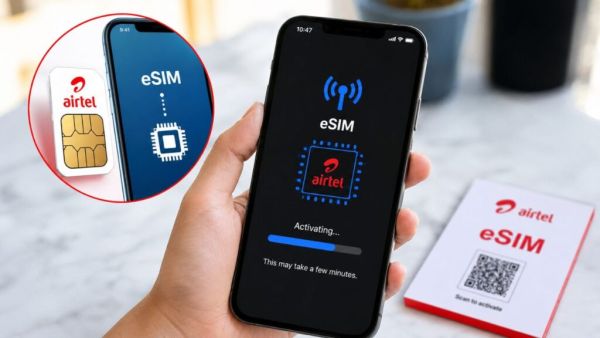
- Airtel users can now activate e-SIM within minutes through the app at home.
- There is no need to insert a physical SIM in the phone to use an e-SIM, the profile can be downloaded directly.
- After activation it is necessary to keep the EID number safe and remove the physical SIM and restart the phone.
Airtel: Currently many prefer to buy e-SIM over physical SIM card. E-SIM craze is increasing day by day due to security and other features. Especially travelers and business users prefer e-SIM over purchasing a physical SIM. Apart from this, many smartphone companies are also now launching smartphones with e-SIM support. This has also increased the curiosity among users about e-SIM.
Forgot your password? Google Account login with selfie video will be beneficial for new feature users
Airtel e-SIM
An e-SIM is a digital version of a physical SIM card, which can be downloaded or installed directly into a compatible smartphone. To use an e-SIM you don’t even need to insert it into the phone like a physical SIM. It also makes switching phones easier, as users can transfer their e-SIM profile to a new compatible device without having to handle any physical card. (Photo Courtesy – AI Created)
E-SIM support for select smartphones
In India, Airtel offers e-SIM support for select smartphones from Apple, Google, Samsung, Motorola and Vivo. Airtel’s e-SIM can either work with or replace a physical SIM card. If you have recently bought a smartphone that has e-SIM support or want to change your digital SIM card to e-SIM, you don’t need to go to the store anymore. You can activate Airtel e-SIM even at home by following some simple steps. So let’s know the complete process.
Follow these steps to activate Airtel e-SIM
- Download the Airtel app and login with your phone number.
- Select the Shortcuts section from the homepage.
- Click on the Upgrade to e-SIM icon.
- Now select either This Device or Other Device.
- Enter the 32-digit EID number of your device to generate the OTP.
- Now enter the OTP received on the registered airtel number.
Bumper offer! Big Discount on Samsung Galaxy M17 5G, Buy Powerful 5G Phone Under 15K
You will receive a verification call from Airtel to complete the e-SIM request. Confirm this request during the call to complete the request. The Airtel e-SIM request will be ready for setup soon and users will be able to download the e-SIM on their smartphones. E-SIM will be activated in less than 2 hours after profile download. After switching physical SIM to e-SIM, activate the new e-SIM profile, remove the physical SIM from the phone and restart your device. After activation, users must keep their EID secret to prevent unauthorized access. If the Airtel e-SIM-enabled device is lost, customers can visit the nearest Airtel store for assistance.