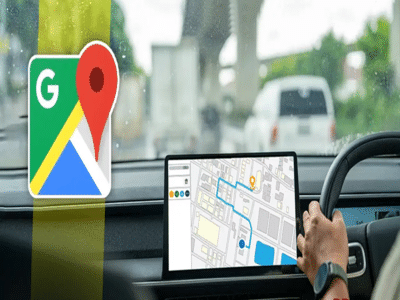
Google Maps is more than just a navigation app—it also includes features that can help you reduce fuel consumption, avoid unnecessary delays, and stay informed while driving. Many users aren't aware of these built-in tools, but enabling a few settings can make your daily commute more efficient.
Here's a look at four useful Google Maps features every driver should know about.
1. Turn On the Speedometer and Speed Limit AlertsOne of the most useful safety features in Google Maps is the on-screen speedometer along with speed limit information (available in supported regions).
How to enable it-
Open Google Maps.
-
Tap your profile picture.
-
Go to Settings > Navigation settings.
-
Turn on Speedometer.
-
Enable Speed Limits if the option is available in your region.
The app displays your current speed and, where supported, the road's speed limit. If you exceed the limit, Google Maps may provide a visual warning, helping you drive more safely and reduce the risk of speeding violations.
2. Choose Fuel-Efficient RoutesGoogle Maps can suggest routes that are designed to reduce fuel or energy consumption by considering factors such as traffic conditions, road gradients, and stop-and-go driving.
How to enable it-
Open Navigation settings.
-
Turn on Prefer fuel-efficient routes.
In many cases, the fuel-efficient route can reduce fuel consumption while adding little or no extra travel time. This feature is especially useful for long-distance travel and daily commuting.
3. Check Toll Roads Before You StartIf you're planning a trip, Google Maps can estimate toll charges on many routes and also lets you avoid toll roads if you prefer.
How to use it-
Start navigation to your destination.
-
Review the available route options.
-
Select Avoid tolls if you don't want to use toll roads.
-
Where available, Google Maps will also display estimated toll costs before you begin your journey.
Knowing toll charges in advance allows you to choose the most economical route based on your travel time and budget.
4. Download Offline MapsInternet connectivity isn't always reliable, especially in remote areas, hilly regions, or during long road trips.
How to download offline maps-
Search for your destination or city.
-
Tap your profile picture.
-
Select Offline Maps.
-
Download the required area before your trip.
Downloaded maps continue to provide navigation even when mobile data or network coverage is unavailable, helping you avoid getting lost in areas with poor connectivity.
The Bottom LineGoogle Maps offers several features that go beyond simple navigation. Enabling the speedometer, choosing fuel-efficient routes, checking toll information in advance, and downloading offline maps can make your journeys smoother, help reduce fuel costs, and improve your overall driving experience. Taking a few minutes to configure these settings before your next trip can save both time and money.
-
Banking: If your chequebook is lost, do not ignore it; take these 3 steps immediately..

-
Several major rules to change from August 1; impact on your wallet ranging from LPG to banking

-
DA Hike: Will Dearness Allowance increase in July under the 7th or 8th Pay Commission? Find out how 1 crore employees will benefit..

-
Good news regarding preferred transfers for railway employees: get posted close to home—find out who stands to benefit..
-
GDP Growth: Crude oil impacts India's GDP; growth pace to remain slower than last year