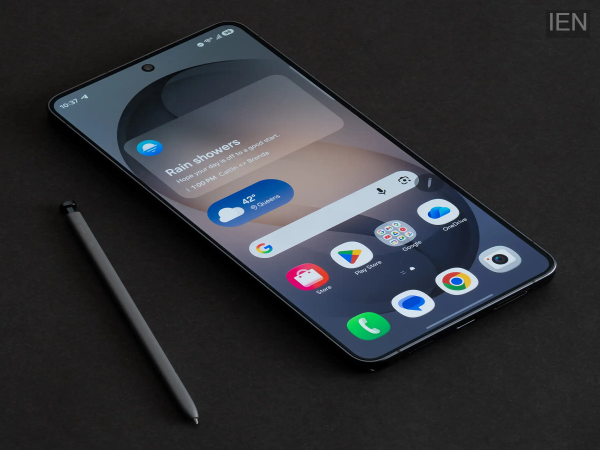
Smartphones have become an essential part of our daily lives, but most users only use a small portion of the features available on their devices. Modern Android phones come with several built-in tools that can improve security, boost productivity, and make everyday tasks much easier. Here are seven useful Android features you should start using today.
1. Turn On Theft ProtectionAndroid now offers advanced theft protection features that can automatically lock your phone if it detects suspicious activity, such as someone snatching your device and running away.
You can also remotely lock your phone if it gets lost or stolen. Enabling these features helps protect your personal data from unauthorized access.
2. Use Circle to SearchInstead of copying text or taking screenshots, you can use Google's Circle to Search feature.
Simply press and hold the navigation bar (on supported devices), circle any object, text, or image on the screen, and Google will instantly search for it. It works for products, landmarks, translations, and more without switching apps.
3. Archive Apps You Rarely UseIf your phone is running out of storage, you don't always have to uninstall apps.
Android's App Archive feature removes most of an app's data while keeping your personal information intact. When you need the app again, you can reinstall it quickly without setting everything up from scratch.
4. Share Wi-Fi Without Revealing Your PasswordInstead of telling guests your Wi-Fi password, generate a QR code from your phone's Wi-Fi settings.
Anyone can scan the QR code using their smartphone and connect instantly, making the process both faster and more secure.
5. Enable Battery Health FeaturesMany Android smartphones now include battery protection settings that limit charging to around 80–85% or intelligently manage charging overnight.
These features can reduce battery wear and help extend your phone's battery lifespan over time.
6. Live Caption for Videos and CallsLive Caption automatically generates captions for videos, podcasts, and even some phone calls on supported devices.
This feature is especially useful in noisy environments or for users with hearing difficulties. It also works offline for many types of media.
7. Digital Wellbeing ToolsIf you spend too much time on social media, Android's Digital Wellbeing tools can help.
You can:
-
Set daily app usage limits.
-
Schedule Focus Mode to block distracting apps.
-
Enable Bedtime Mode to reduce screen distractions before sleep.
-
View detailed reports of your screen time.
These tools make it easier to build healthier smartphone habits.
Bonus Tip: Find Your Phone Even When It's SilentIf you misplace your phone at home or elsewhere, use Google's Find My Device service to locate it, make it ring, or remotely lock it. Keeping this feature enabled can save you time and help protect your personal information if your device is lost.
Final ThoughtsYou don't need to install extra apps to get more from your Android phone. Features like Theft Protection, Circle to Search, Live Caption, Digital Wellbeing, and Battery Protection are already available on many modern Android devices. Exploring these built-in tools can improve your phone's security, performance, and overall user experience.
-
पूरन की नाबाद 58 रनों की पारी ने MI London को The Oval पर Sunrisers के खिलाफ सात विकेट से दिलाई जीत

-
Pooran's 58* Steers MI London to Seven-Wicket Win Over Sunrisers at The Oval

-
Home Loan: Opting for a low down payment? Here are the downsides

-
How much internet speed is needed for daily tasks? Here’s the breakdown

-
Old features in new phones? Budget Androids might disappoint