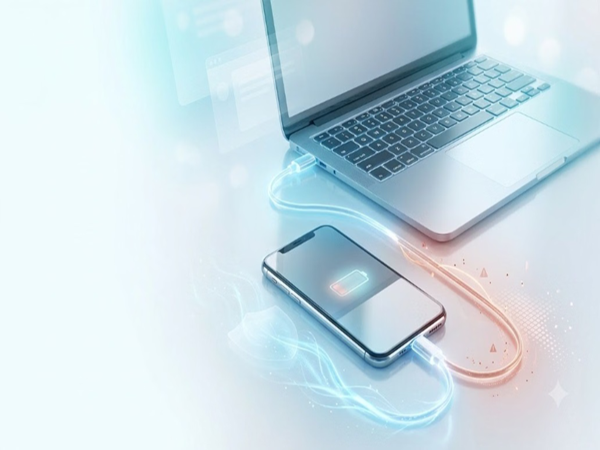
Charging a Phone via Laptop: People often charge their phones using a laptop while working. While generally considered safe—provided the laptop is in good condition and a high-quality USB cable is used—certain precautions are essential, as even minor negligence can lead to significant damage.
How safe is it to charge a phone via a laptop?
Modern smartphones come with advanced battery management technology that protects the device from overcharging and excessive current or voltage.
Normal Scenario: Charging your phone via your own trusted laptop typically causes no major harm to the battery.
Slower Speed: The current supplied by a laptop's USB port is significantly lower than that of a standard wall charger, resulting in slower charging speeds.
When do the risks increase?
The biggest risk arises when charging your phone using an unfamiliar or public computer or laptop:
Data Transfer Risk: Many people are unaware that USB cables do not merely supply power; they also facilitate data exchange.
File Transfer Mode: If "File Transfer" or "MTP" mode is accidentally activated upon connection, private data could be stolen from your phone, or viruses/malware could be introduced to the device via the computer.
Safe Practice: Always select the "Charge Only" mode on your phone's screen when charging from a public or unfamiliar system.
Why does the phone charge slowly via a laptop?
If your phone charges very slowly when connected to a laptop, the following reasons could be responsible:
Old USB 2.0 Port: Older laptop ports provide very low power output.
Low-Quality Cable: Cheap or damaged USB cables fail to transfer power efficiently.
Lack of Fast Charging: Standard USB ports do not support advanced fast-charging technologies. Usage while charging: Gaming or continuous use while the phone is charging prevents the battery from charging quickly.
Follow these tips for safe charging:
Use original cables: Always use branded or original cables.
Avoid overheating: Do not charge your phone if the laptop is overheating or if its USB port is loose or damaged.
Use only in emergencies: Treat charging via a laptop only as an emergency option.
Wall chargers are best: To charge your phone quickly and properly, always use the original wall charger.
Disclaimer: This content has been sourced and edited from Amar Ujala. While we have made modifications for clarity and presentation, the original content belongs to its respective authors and website. We do not claim ownership of the content.
-
8th Pay Commission: Data window closed; employees to receive good news on this day; major update regarding salaries!
-
EPFO 3.0 FAQs: August is here—can PF money now be withdrawn via UPI and ATM? EPFO Commissioner clarifies the situation..

-
Great news! This bank has made home loans cheaper; no processing or documentation fees will be charged either..

-
IRCTC New Features: 5 major changes to the new train ticket booking website; Tatkal booking speed increased..

-
Before the 24th installment of the PM Kisan Yojana, farmers will get a gift of ₹3.15 lakh crore..