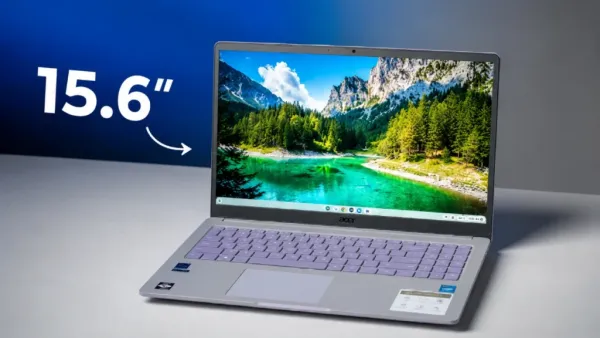
ASUS just released the Chromebook CX15, a 15.6-inch laptop priced under $200 (currently $219 at the time of writing), built around Intel’s budget Processor N50, 4GB of LPDDR5 RAM, 128GB of storage, a 1080p anti-glare display, Wi-Fi 6E, and a full-size HDMI port.
The obvious question with any laptop this cheap is whether it can handle daily use without falling apart or freezing up, and the early hands-on results land closer to “yes, with limits” than “no.”
Budget Beast or Plastic Trap? Unboxing and Build Quality Explored
The CX15 is a straightforward budget package: no premium unboxing theater, no metal chassis, no touchscreen.
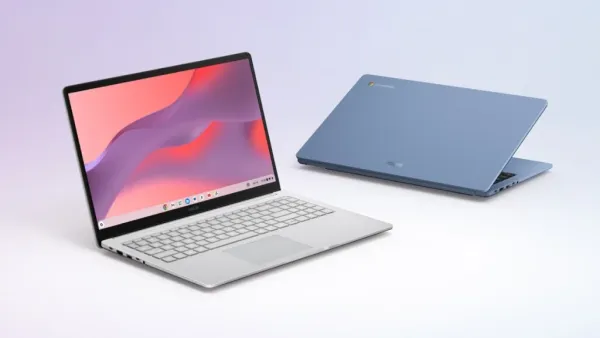
What matters more at this price is whether the plastic build feels solid instead of hollow. ASUS gave it rounded corners and a clean, minimalist look, and the chassis holds up in hand without feeling cheap or flimsy, even though it’s all plastic rather than aluminum.
That’s a meaningful result for a laptop priced this low, where flexing decks and creaky hinges are a common complaint.
Massive 15.6-Inch Display on a Budget: Gorgeous Screen or Blinding Compromise?
Size and resolution are the headline here: a 15.6-inch, 1920×1080 anti-glare panel running at 300 nits of peak brightness.
The trade-off is that it’s not a touchscreen, so navigation depends entirely on the trackpad or a mouse. For a laptop in this price bracket, a large, bright 1080p panel is a stronger showing than most sub-$200 competitors typically offer.
The Ultimate Typing Test: Does This Full-Sized Keyboard Actually Deliver?
The CX15 uses a full-sized keyboard layout, which takes advantage of the wider 15-inch frame and includes a usable number pad.
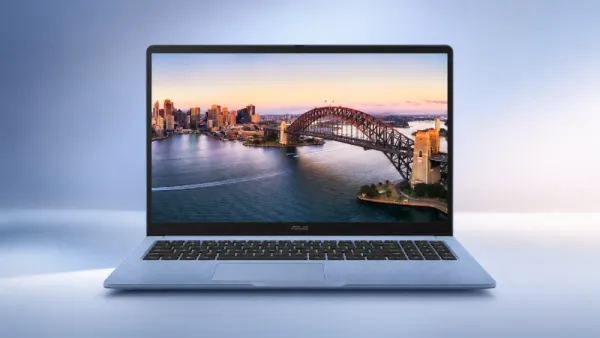
Combined with the roomy chassis, that layout should hold up fine for essay writing, note-taking, or general office tasks without feeling cramped.
Performance Under Pressure: Can the Intel Processor N50 Handle Real Multitasking?
This is where the compromises show up. The Processor N50 is a 2-core, 2-thread chip from Intel’s budget Alder Lake-N line, paired with 6MB of cache and a 3.4GHz max turbo speed.
On paper, that sounds thin, but architectural improvements to Intel’s efficiency cores, combined with ChromeOS’s lightweight footprint, let the machine handle everyday tasks like web browsing, Google Docs, and video streaming better than the spec sheet suggests.
Push it harder with heavy multitasking, dozens of tabs, or Android apps running alongside browser windows, and the 2-core ceiling becomes obvious, for this is not a machine built for juggling everything at once.
The Perfect Budget Match: Who Should Actually Buy the ASUS Chromebook CX15?
Based on what’s here, ChromeOS plus this hardware fits a specific use case: casual browsing, streaming, schoolwork, and light office tasks.
It is a dedicated web workstation, not a multitasking powerhouse. Students, older relatives who mostly browse and email, or anyone needing a strict budget backup machine are the clear target buyers.
Buyer Beware: Who Needs to Skip This Sub-$200 Laptop Immediately?
Anyone who regularly runs multiple demanding apps, keeps dozens of tabs open, relies heavily on Android apps, or wants touchscreen input should look at a step-up Chromebook Plus model or a laptop with an Intel Core chip instead. The N50’s 2-core ceiling and 4GB of RAM will show their limits quickly under that kind of load.
Pros, Cons, and Is It Worth Your Money?
| The Good | The Limits |
| Large 15.6-inch, 1080p, 300-nit display | Not a touchscreen |
| Full-size keyboard with number pad | 2-core, 2-thread processor caps multitasking |
| Solid port selection (HDMI, USB-C, USB-A, audio jack) | Heavy multi-app use or gaming will show the chip’s limits |
| Plastic body that doesn’t feel flimsy | 4GB RAM is tight by modern standards |
| 720p webcam with a physical privacy shutter | Not built for Android apps running alongside browser tabs |
The Final Verdict
For under $200, the ASUS Chromebook CX15 delivers a surprisingly capable package, but the compromises are real and predictable as well. As a budget-first daily driver for basic tasks, it earns its price tag.
Ready to upgrade your budget setup without breaking the bank? Check out the latest deals on the ASUS Chromebook CX15 today and grab your ultimate web workstation before stocks run out!
-
How much Mohamed Salah will really earn at Trabzonspor after historic move

-
Why I have completely changed my view on Roberto De Zerbi — and why Tottenham Hotspur can mount a Premier League title challenge under him

-
David Raya called the ‘most unfortunate goalkeeper in the world’ but rated the Premier League’s ‘best’ by an Arsenal Invincibles member

-
Much-Deserved Success Arrives For 3 Zodiac Signs On August 7, 2026

-
Much-Deserved Success Arrives For 3 Zodiac Signs On August 7, 2026