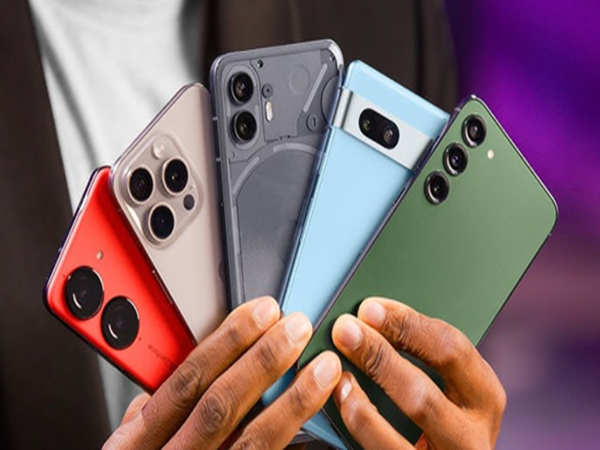
Today, smartphones are no longer just tools for making calls or sending messages. They store a wealth of sensitive data, including banking details, private chats, photos, videos, contacts, and location history. Consequently, safeguarding your phone's privacy has become crucial.
However, we often grant excessive permissions to apps without giving it much thought. You should be particularly cautious if an app—such as a game, calculator, or other utility—requests permissions it does not actually need.
Malicious apps can misuse these permissions to steal personal information. Therefore, you should check these five specific permissions on your phone and disable them if they aren't required.
SMS Permission: SMS permissions are highly sensitive. If a suspicious app gains permission to read your SMS messages, it can access bank-issued OTPs, transaction alerts, and login codes.
This information can be misused to commit fraud. Therefore, never grant SMS access to an app that does not require it for its functionality.
Camera and Microphone Permissions: Camera and microphone permissions are typically intended for apps involving photography, video calls, or audio recording. However, if a game, flashlight, calculator, or other simple app requests these permissions, consider why it would need them.
Granting this access to the wrong app poses a risk of your voice or camera being misused, potentially leading to the leakage of private information.
Location Permission: Location permissions should also be granted judiciously. If you set an app's location access to "Always Allow," it can continuously track your whereabouts.
This allows the app to determine when and where you go, as well as how long you stay at specific locations. For apps that do not require constant location tracking, it is better to set the permission to "Allow only while using the app."
Accessibility Permission and Unknown Apps: Accessibility permissions grant extensive control. They allow an app to access and monitor various activities occurring on your screen. If this permission falls into the hands of a malicious app, it could compromise sensitive data such as passwords, banking information, and private chats.
Similarly, the ‘Install Unknown Apps’ setting should be used with caution. Enabling this allows apps to be installed from sources other than the official Play Store or App Store, increasing the risk of virus or spyware infections.
How can you keep your phone secure?
Before granting permissions to any app, consider whether it actually requires that access. Whenever possible, set permissions like camera, microphone, and location to ‘While using the app.’
Do not grant permissions related to SMS, contacts, or calls to apps like calculators, wallpapers, or games unless necessary. Additionally, always download apps from trusted platforms such as the Google Play Store or Apple App Store.
Most importantly, periodically review your phone's permission settings. If an app has been granted sensitive permissions it does not need, it is best to revoke them immediately.
Disclaimer: This content has been sourced and edited from News18 Hindi. While we have made modifications for clarity and presentation, the original content belongs to its respective authors and website. We do not claim ownership of the content.
-
‘Reading did not allow me to join Southampton after my loan spell. I could have been part of their journey to the Premier League’ — Michail Antonio on the transfer that changed his career

-
Kyle Richards hopes for Little House cameo return

-
Easy ways to dry wet socks quickly in the rain, the work will be done in minutes even without sunlight

-
Rug Placement Tips: Can a rug make a small room look bigger? Designer reveals the trick that works |

-
Sara Tendulkar Says Brother Arjun’s Wedding Was A ‘Trial Round’ For Her Own Big Day