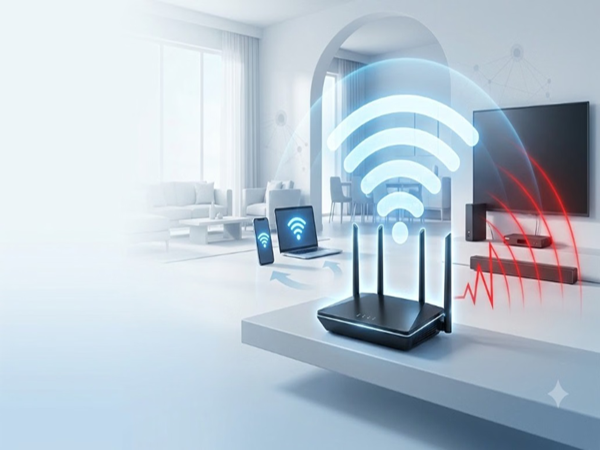
WiFi Router Tips: If your home Wi-Fi connection speed frequently drops or devices keep disconnecting from the network, the issue isn't necessarily with your Internet Service Provider; often, the real culprit is improper router placement.
Most people place their Wi-Fi router on the TV stand or right next to the TV. This mistake weakens your home's internet signal.
Internet Speed: Why shouldn't you place the Wi-Fi router near the TV?
Signals emitted by the TV and surrounding electronics can suppress the Wi-Fi range:
Electromagnetic Interference: Apart from the TV, nearby devices like set-top boxes, soundbars, and gaming consoles emit electromagnetic waves that interfere with Wi-Fi signals.
Signal Absorption: The electronic components, metal body, and circuitry of a smart TV can absorb or reflect Wi-Fi signals.
Bluetooth Disturbance: Using Bluetooth alongside the TV can also disrupt Wi-Fi signals.
Impact on Distant Devices: This affects devices located in other rooms—such as phones or laptops—preventing them from getting optimal speeds or causing frequent disconnections.
WiFi Range Extender: Keep these points in mind when positioning your router
Height and Central Location: Always place the router in an elevated spot and try to position it centrally within the home. This is because Wi-Fi signals propagate downwards and outwards.
The 20-30% Distance Rule: Reports suggest that placing the router 20 to 30 percent away from the TV can boost signal strength in surrounding rooms by 20 to 30 percent. Keep away from these: Avoid placing the router in an enclosed corner or near a TV, microwave, mirror, cordless phone, or fish aquarium.
Increasing Wi-Fi Speed: How to boost Wi-Fi speed and stability at home?
If you are often frustrated by your Wi-Fi speed, try following these simple steps.
Choose the right frequency band: If your router supports dual-band (2.4GHz and 5GHz), connect devices located near the router to the 5GHz band for higher speeds, and connect devices that are further away to the 2.4GHz band for better range.
Regular restarts: Make sure to restart the router periodically to maintain network stability.
Disclaimer: This content has been sourced and edited from Amar Ujala. While we have made modifications for clarity and presentation, the original content belongs to its respective authors and website. We do not claim ownership of the content.
-
Cristiano Ronaldo & Georgina Rodriguez Finally Married! What Is Age Gap Between Star Couple?

-
India's Smartphone Shipments Set To Fall Over 15% In H2 2026 As Memory Cost Surge Reshapes The Market

-
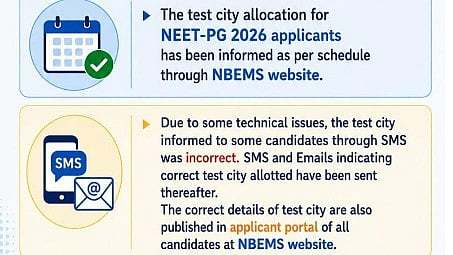
NEET PG 2026: NBEMS Clarifies Test City Allocation Error, Correct Details Sent To Candidates
-
Ohh My Dog Box Office Collection Day 5: Pankaj Tripathi's Film On Dogs Shows No Growth, Stays At ₹25 Lakh

-
Volkswagen Reportedly Targeting a U.S.-Built Pickup Truck for America by 2030