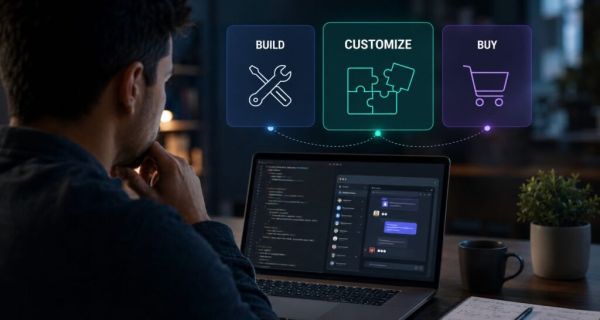

When community features like interactive live chatsengagement widgets, and in-app live streaming are needed, most teams frame this as a two-way decision: build it yourselves, or buy an off-the-shelf tool. This framing can be outdated, and it’s why many teams end up regretting whichever side they picked. In practice, there’s a third path — to buy flexible infrastructure and customize it to the needed product — and for most apps adding interactive live chat, embedded live streaming, or other community features, that path works much better.
Here’s a framework for working out which of the three fits your situation, which helps you to find the most suitable solution to your needs.
The three options to consider
Building
Your team designs and owns the entire community feature, including the real-time infrastructure, moderation tools, data storage, and every edge case that shows up once a real audience appears. You get full control and zero platform dependency. This full control includes owning bugs, scaling challenges, and all needed compliance requirements.
Buying
You license a ready-made product (a chat widget, a forum plugin, a comments system) and drop it into your app close to as-is. Fast, cheap to start, but can be a bit limited — you’re working inside someone else’s design decisions, and deep integration with your own product logic is shallow.
Customizing
You license a platform with the real-time infrastructure, moderationand data layer handled for you, but you build the experience on top of it: your permission logic, integration with the existing user accounts and product data. You get the control of building, with almost none of the infrastructure burden.
Why building can cost more than teams initially estimate
Teams often underestimate building community features because they scope the visible part and miss huge tasks that show up the moment real users join the conversation because the two biggest challenges appear: real-time performance and a powerful moderation system.
The time and cost gap created is large and fairly consistent across independent estimates. Other estimates vary depending on feature scope and team seniority, but the direction is consistent across every source we reviewed: buying is measured in weeks, building is measured in quarters.
And the build estimate is only the first bill. Once a community feature is live, it becomes load-bearing; someone has to be on call for it, and re-test the entire stack on every new release.
If the community isn’t decoration, how buying works
The classic buy-side is a tool that was never meant to be the actual product experience. A bolted-on comments widget or a generic forum plugin works fine when a community is a nice-to-have next to the real product. This can change the moment your users expect the community layer to feel like part of the app itself, matching your permissions model, your brand, your existing login, and your actual use case. A sportsbook’s community needs aren’t a trading platform’s, and neither looks like a generic forum plugin.
This is also where pricing can surprise after the launch. Per-seat or per-MAU pricing models look reasonable at launch but can scale unpredictably; consider this in both customising and buying options. Vendor contracts in the tens of thousands annually at moderate scale aren’t unusual, and teams sometimes report costs multiplying several times over between launch and real growth. It’s necessary to check a vendor’s pricing structure against the growth predictions.
Why “customizing” is on the menu
Some teams disregard this option because the decision is often framed as strictly buy or build. Buying traditionally included the option of customizing as well, but they are different. It is better to split the option when you buy a solution from a box with no possibility to make it look like a part of your product, and an option that allows you to make all needed changes to turn community features into a natural part of your service.
Using a flexible solution provides significant control over the user experience with far fewer resources than building from scratch, since the infrastructure is already handled.
A simple framework for choosing
Consider the following questions to guide your decision.
1. Is the community feature your main product or an added layer? If you are building a product like Discord, Slack, or a dedicated community app—where chat is the core offering—choose to build. Licensing is rarely cost-effective when the feature is central to your business.
2. Should it feel like a natural part of your product? If a standard widget meets your needs, buy. If you plan to achieve alignment with your permissions, brand, and user data model, customization is necessary.
3. Does your team have expertise in real-time infrastructure? If not, customize a platform instead of building from scratch. This approach allows you to control the experience without taking on long-term ownership.
4. What is your realistic time-to-market requirement? If you need a solution to live in weeks rather than quarters, building from scratch is typically not feasible.
The comparison at a glance
| Build | Buy | Customize | |
| Time to launch | Months to a year+ | Days | From several days to a couple weeks (talking about SDK, months) |
| Upfront cost | Highest | Lowest | Moderate |
| Long-term maintenance | Fully yours, indefinitely | Vendor’s problem | Vendor handles infrastructure; you maintain your own layer |
| Fit with existing product/brand | Total control | Often shallow | Deep, by design |
| Best for | Community is the product | Simple, non-differentiating features |
Where this fits into your broader decision
This framework covers the community-feature decision on its own. Still, it’s worth pairing with two questions once you’ve settled on “customize”: which vendor actually fits your vertical, and what your users will actually do with the community layer once it ships.
-
Aston Villa may already have found a Morgan Rogers replacement without spending anything

-
Has the glow on the face disappeared? Use these products to clean the face, tanning will be destroyed

-
Simple ways to bring back the aroma of old spices

-
Should you be doing ‘reverse Kegels’ instead of regular ones?

-
Gal Gadot says motherhood turned her into a ‘lioness’