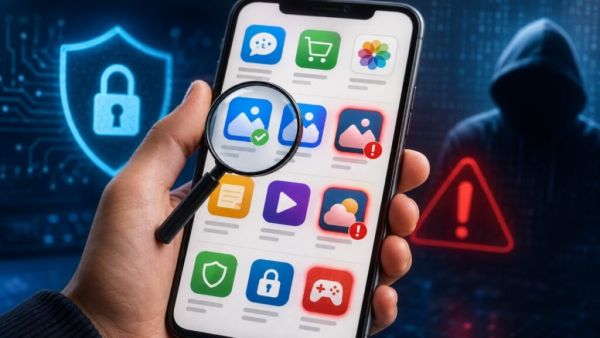
Technology Desk: In today's time, many tasks like banking, online shopping, payment, ticket booking and entertainment can be easily done through mobile apps. Billions of apps are downloaded every year around the world. Amidst this increasing dependence, fake apps are also becoming a big problem for mobile users. Such apps may look exactly like real apps, but installing them in the phone poses a risk of theft of personal information, affecting the security of the phone and financial loss.
From time to time, fake and dangerous apps are identified and removed from Google Play Store. Despite this, it is important to check any app properly before downloading it. Fake apps can be identified by keeping some simple things in mind.
Please check the number of downloads and reviews
Before downloading an app, check its download count and user reviews. Popular apps that have been around for a long time usually have high downloads. However, an app cannot be considered safe just by looking at the download numbers, because some fake apps have also been downloaded in large numbers.
Reviews and ratings can also provide useful hints. If many users are complaining about app's poor behavior, suspicious activity, abundance of ads, data theft or any other threats, then one should be cautious of such apps.
Pay attention to the release date also
It is also important to check the release date of the app. The official app of a popular service may have been available for a long time, while a new app with the same name may have been created recently.
However, being a new app does not in itself prove it to be fake. Therefore, the release date should be considered in conjunction with other signals, such as developer name, reviews, and information from the official website.
Check which permissions the app is asking for
One of the most important things while installing an app is its permissions. An app should only ask for access that is needed to function.
For example, a photo editing app may need access to photos and videos. But if the same app is asking for access to microphone, contacts, location or other sensitive information without any apparent reason, then one should be careful.
An app that asks for unnecessary permissions can pose a risk to your personal information.
Be careful of apps with similar names and icons
Searching for an app on Google Play Store may show many similar results. Fake app creators may copy the name, logo, icon and design of the real app.
Therefore one should not download the app just by looking at the icon. Check the full name, developer and other information of the app carefully. Minor spelling changes or unusual words in the name may also be a cause for suspicion.
Be sure to check the developer name
An important step is to check the name of the app's developer before installing it. The developer name of an official app from a popular company is also usually associated with the same company or its official developer.
If the developer name is strange, has a misspelling, or doesn't match the company's official name, additional checks should be done before downloading the app.
Other apps of the developer can also be seen by clicking on his name on Play Store. This can help detect whether the developer has been making apps for a long time or has published many suspicious apps recently.
Read the app description and screenshots
The description given on the Play Store page of an app should be read carefully. Official apps usually provide clear information about its features and how it works.
Caution should be exercised if the description contains excessive spelling or language errors, incomplete information, or makes unusual claims.
Similarly, see the screenshot also. If screenshots are blurry, don't match the app's interface, or appear to be clones of other popular apps, double-check the app's reliability.
Combine information from official website
If there is any doubt about any app, then visit the official website of the concerned company or service. See there if the company has given the link of its mobile app.
If a bank, shopping platform or other online service's website mentions its official app, a safer bet is to identify the app from the link provided there.
One should avoid downloading the app from any unknown website, link given in social media post or message.
Perform security check before installing
If there is any doubt about the security of the app, the security features available in the phone can be used. Google Play Protect helps identify potentially harmful apps by scanning apps on Android devices.
Trusted mobile security tools can also be used if needed. However, it is important to check the developer and official source of any security app before downloading it.
What to do if a fake app is installed?
If any suspicious app has been installed on the phone by mistake, it should not be ignored. First of all, check the activities of the app and the permissions asked. Suspicious apps can be uninstalled and device security checks should be performed if needed.
If an app is available on the Google Play Store and it appears to be fake or copied from another app, it can also be reported to the Play Store. For this, the reporting option can be used by going to the page of the concerned app and the reason for the problem can be explained.
Extra caution is necessary especially in case of apps to banking, payment or shopping. Sensitive information like bank details, card information, password or OTP should not be entered in any suspicious app.
Fake apps often copy the name, icon, and design to look like the real app. Therefore, before downloading any app, it is important to check its download, review, release date, permissions, developer, description and official source.
-
Lucknow Rapido cab driver suspended for 99 years, 11 months
-
Javed Akhtar lashes out against Pak President Zardari
-
ABP LIVE Doc Talk | Can People With Diabetes, Obesity Or Age Over 60 Still Donate Their Organs?

-
Andy Robertson closes in on Kenny Dalglish’s Scotland record as Colin Hendry hails ‘remarkable achievement’

-
World’s second most visited country faces complaints of overcrowding, limited infrastructure