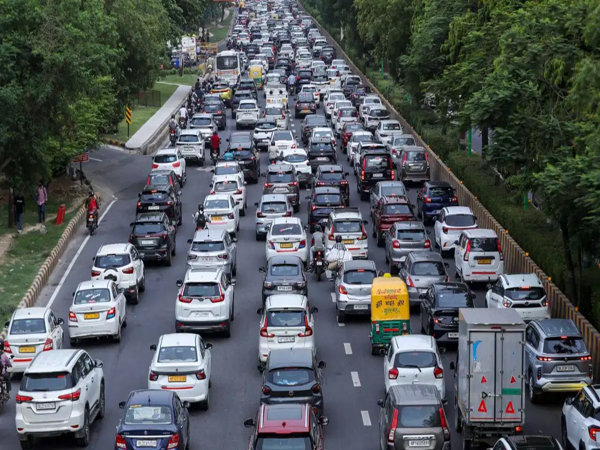
During the monsoon, heavy rains often lead to waterlogging and traffic jams. Consequently, checking road conditions before heading out for work or other important tasks becomes crucial. Google Maps' 'Traffic' layer feature provides real-time information about traffic flow. It helps you identify congested routes and choose alternative paths if necessary, making travel easier during the rainy season.
**How to check road conditions using the Traffic layer**
The Traffic layer in Google Maps provides real-time updates on current road traffic. Once enabled, colored lines appear over the roads on the map. Green indicates a clear route where vehicles are moving at normal speeds. Yellow or orange signifies moderate traffic, where vehicles are moving somewhat slowly. Red indicates heavy traffic congestion.
**How to enable the Traffic layer in Google Maps**
To view live traffic information, first open Google Maps on your phone. Next, tap the 'Layers' icon located at the top right of the screen; this icon resembles two stacked squares. After tapping 'Layers,' select the 'Traffic' option. You will then see colored lines appear over the roads on the map. These colors help you determine which routes have light traffic and where congestion exists.
**How to choose an alternative route if you encounter a jam**
If you see a dark red line on your planned route during the rain, it indicates heavy traffic. In such cases, Google Maps may also display alternative routes in light gray on the screen. You can view these options and select a route with less traffic. Since areas like highways and underpasses are prone to waterlogging during the monsoon, opting for a suggested route with lighter traffic is a practical choice.
Why the Traffic Layer is Useful During Rain
Heavy rain can lead to sudden traffic jams on roads due to issues like waterlogging, fallen trees, or vehicle breakdowns. In such situations, checking the traffic status on Google Maps before leaving home helps in assessing the route. By using the traffic layer, users can view live updates to identify clear paths and areas with heavy congestion, giving them the option to avoid traffic-clogged routes by taking an alternative path if necessary.
Disclaimer: This content has been sourced and edited from TV9. While we have made modifications for clarity and presentation, the original content belongs to its respective authors and website. We do not claim ownership of the content.
-
Galatasaray line up ambitious move for Bruno Fernandes with doubled wages and a €50m offer to tempt Manchester United captain to Istanbul

-
Premier League 2026/27 opening weekend: Full fixtures, kick-off timings and TV channels

-
Kerala Shocker: iPhone Wanted, Grandfather Killed? Kerala Class 8 Girl’s Alleged Murder Plot Shocks Alappuzha

-
Digital Revenge! Tired of Toxic Bosses, Chinese Workers Are Turning Their Managers Into AI Pets

-
India hosts 12th BRICS Environment Ministers’ Meeting in New Delhi