
When employed individuals get married, their marital status changes, and they are required to update this information at their workplace. However, many may not be aware that, according to EPFO regulations, the rules regarding PF account nominations also change after marriage. EPFO guidelines state that any nomination made on the PF account prior to marriage automatically becomes invalid; in other words, the previously listed nominee is no longer recognized.
An EPFO member must file a new nomination after marriage. Failure to do so could create difficulties for family members when claiming PF, pension, and insurance funds in the future.
**What is the EPFO rule regarding nomination?**
According to the rules incorporated in Paragraph 44 of the EPFO Scheme, a nomination made prior to marriage ceases to be legally valid after the marriage takes place. If an employee marries but fails to update their nomination, the person previously named will not be entitled to receive the PF funds directly. This rule applies specifically to marriage; nominations do not automatically change when switching jobs or generating a new UAN.
**It is not mandatory to nominate only your spouse**
You are not required to nominate only your spouse in the new nomination; you may nominate any eligible family member. You can also add multiple nominees and specify the percentage share to be allocated to each.
It is worth noting that the nomination applies not only to the PF account but also to benefits under the EDLI scheme, which includes an insurance cover of ₹7 lakh. These funds are paid to the nominee; if the nominee details are not updated, claiming this amount can become difficult.
**Update nominee details online**
You can update your nominee details directly through your account on the EPFO website. Log in to the portal using your UAN, navigate to the 'Manage' section, and select the e-nomination option. Enter the nominee's details, relationship, and share percentage, then verify the process using an OTP sent to the mobile number linked to your Aadhaar. Employer approval is not required for this.
Disclaimer: This content has been sourced and edited from NDTV India. While we have made modifications for clarity and presentation, the original content belongs to its respective authors and website. We do not claim ownership of the content.
-
Pakistan Team Gifts Unique Present To King Charles, Photo Goes Viral

-
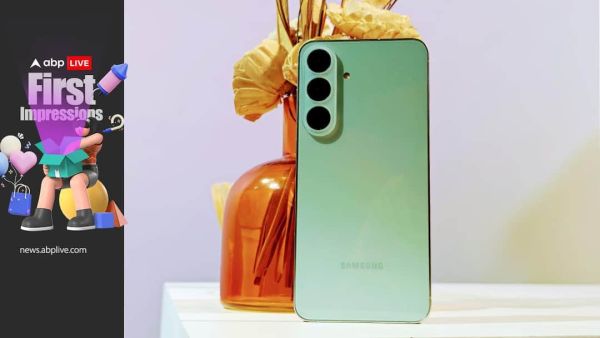
Samsung Galaxy S26 FE First Impressions: Galaxy S26 Now Has A 'Fine Edition'
-
Delhi School Admissions 2026: EWS, Freeship Seats To Be Verified, Check Computerised Draw Details

-
NEET PG 2026 Result: When Will NBEMS Release Scorecard? Check Expected Date And Time
-
Lollapalooza India 2027 CONFIRMED Lineup: KATSEYE, 5SOS, Olivia Dean, Limp Bizkit To Perform In Mumbai