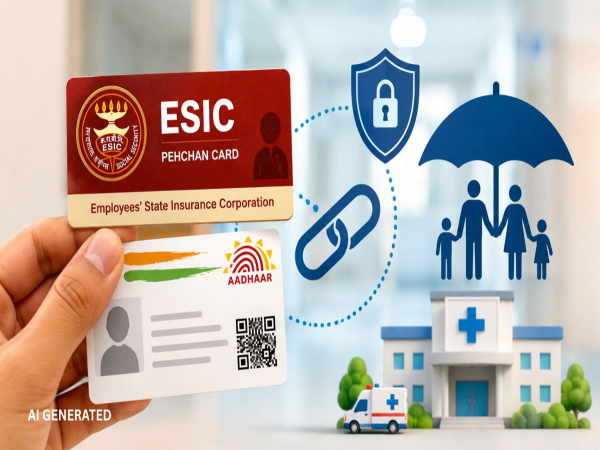
There is a crucial update for Employees' State Insurance Corporation (ESIC) insured persons and their families. To ensure complete transparency and security within its system, ESIC has made Aadhaar linking mandatory for all insured employees and their dependents.
If you have not yet linked your Aadhaar card—and those of your family members—with your ESIC insurance number, you may face significant hurdles in accessing medical treatment, free medicines, maternity benefits, and cash benefits.
Why has ESIC Aadhaar linking been made mandatory?
1. Curbing Fraud: To completely eliminate the creation of multiple accounts for the same individual and prevent fraudulent claims.
2. Instant and Cashless Treatment: Patient identification via biometric verification at ESIC hospitals and dispensaries will enable immediate access to treatment without bureaucratic paperwork hassles.
3. Direct Benefit Transfer (DBT): Payments for sickness benefits, unemployment allowances, maternity benefits, and permanent disablement allowances will be credited directly to your bank account without delay.
Which family members require Aadhaar linking?
Linking the Aadhaar of the employee whose salary includes the ESIC contribution is the primary and essential step. It is also mandatory to seed the Aadhaar details of the employee's parents, spouse, and children.
Step-by-step process to link Aadhaar on the ESIC portal:
Step 1: Visit the official ESIC web portal (www.esic.gov.in) and click on the "Insured Person/Beneficiary Portal" link available on the homepage.
Step 2: Log in by entering your ESIC insurance number, password, and the captcha code displayed on the screen. (If you are using the portal for the first time, select the "Sign Up" option to set a new password.)
Step 3: After logging in, locate the "Aadhaar Seeding For IP" option on the dashboard and click on it. Step 4: A link will open; click on the 'Action' button next to the name of the person whose Aadhaar needs to be linked.
Step 5: Enter the concerned person's name, date of birth, and Aadhaar details accurately.
Step 6: An OTP will be sent to the mobile number registered with Aadhaar. Enter this OTP in the designated box and click on 'Verify'.
Step 7: Once OTP verification is complete, the request will be sent to your company/employer's login portal for approval. Your Aadhaar will be successfully linked in the ESIC database as soon as the employer grants digital approval.
What are the consequences of not linking Aadhaar?
You may face difficulties in proving your identity while getting admitted to ESIC dispensaries or empanelled private hospitals. The processing of cash benefits and claim settlements could also be delayed.
Disclaimer: This content has been sourced and edited from Dainik Jagran. While we have made modifications for clarity and presentation, the original content belongs to its respective authors and website. We do not claim ownership of the content.
-
PSR was never flawless, but SCR is a risky move in the wrong direction that could wreck the Premier League’s unique appeal

-
Homemade rose water will return the skin before Panchami, there are 2 methods

-
Instead of throwing puja flowers, make havan cups, reuse them at home like this

-
Why Opening Restaurants In Malls Is A Win For Businesses, Burma Burma Founder Reveals

-
Apple Event Today: From foldable iPhone Duo to iPhone 18 Pro, these devices will be launched today –