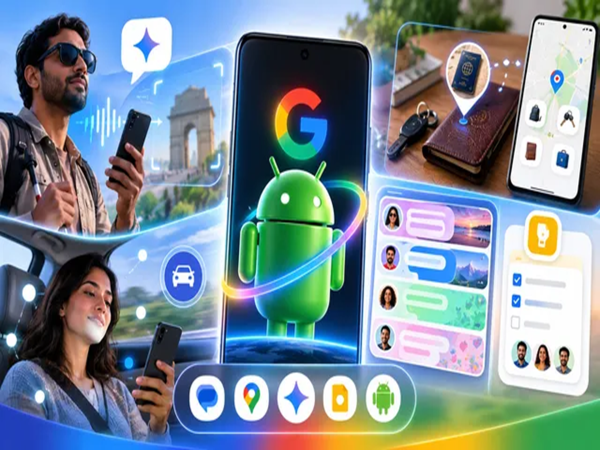
Google has released the new Android update for September. This time, the company has focused heavily on messaging and AI assistance. Google has introduced several new features for Gemini, as well as for the Messages app and Find Hub. One feature helps you remember the location of items even without an internet connection. Meanwhile, "Motion Assist" helps reduce dizziness and nausea caused by using a phone in a moving car or bus. Additionally, a chat theme feature has been launched for Google Messages. However, the rollout for some of these features is still pending.
Major changes in Android: Here is a breakdown of all 5 updates
1. Find Hub: Gemini helps you remember the location of important items
You can now save the location of items—even those without internet connectivity—in Android's Find Hub. For instance, you can save the location of your passport in Find Hub and check it later. To make identifying specific items easier, you can also save a photo alongside the location details.
2. Motion Assist: Reduces dizziness when looking at your phone in a moving vehicle
Google's Motion Assist feature displays small bubbles on the screen that move in sync with the vehicle's and your body's movement. The goal is to minimize the sensory mismatch between what your eyes see and what your body feels, thereby preventing motion sickness. This feature is designed for Android 17 and is being rolled out gradually.
3. Guided Vision: The camera shows, Gemini describes
Using Gemini Live, if you point your camera at an object, Gemini will verbally describe what is in the frame. This feature is particularly helpful for individuals with low vision.
How to set it up: You can configure the Guided Vision shortcut by going to Settings > Accessibility Shortcuts.
4. Google Keep checklists in Google Messages: Useful for group chats
You can now share Google Keep notes and checklists directly within Google Messages conversations. Other participants in a group chat can also make edits to the shared list. To use this: Go to any chat > Tap the (+) button > Select the yellow 'Keep' bulb icon.
5. WhatsApp-like chat theme options in Google Messages
Google Messages now offers the option to set distinct themes, wallpapers, and personal photos for individual chats.
Please note that the selected photo or theme will be visible only to you, not to the other person in the chat. Also, this setting applies only to the specific chat, not to the entire Messages app.
How to set it up: Open any chat > Tap the three-dot menu in the top-right corner > Go to 'Chat Theme' > Select your preferred color, wallpaper, or personal photo.
Disclaimer: This content has been sourced and edited from Dainik Jagran. While we have made modifications for clarity and presentation, the original content belongs to its respective authors and website. We do not claim ownership of the content.
-
Lionel Messi and Cristiano Ronaldo set for an unexpected new rivalry in LaLiga2

-
‘Incredible!’ – Declan Rice makes big Arsenal claim after overcoming Naples heatwave

-
Andhra Pradesh man dies after hitting median in Hyderabad

-
Telangana Assembly: No CCTVs for RTC buses, says Ponnam

-
Hyderabad: Campus counsellors go unused while suicide helplines stay busy