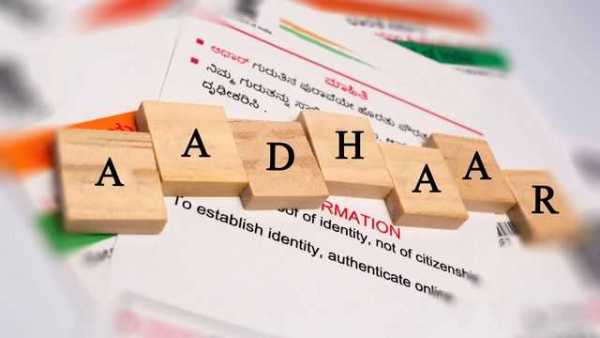
The last date to update your Aadhaar card for free is near. In December 2023, the Unique Identification Authority of India (UIDAI) officially extended the deadline to update the Aadhaar card for free. It is important to note that the last date for free updation of an Aadhaar card is 14 March 2024. As per the latest details, the portal will be closed after the deadline so make sure to finish the process soon. The details are available online.
Currently, interested people can update their Aadhaar card for free only on the official portal of myAadhaar. It is important to note that you have to pay Rs 50 if you update your Aadhaar card offline. If you want to complete the updation for free, you should visit the myAadhaar portal and check the simple steps to make the changes.
FASTag KYC Last Date: KYC Update Deadline is 29 February; How To Check DetailsAccording to the latest details announced by the Unique Identification Authority of India (UIDAI), the deadline for the free updation of the Aadhaar card was extended for three months, from 15 December 2023 to 14 March 2024.
It is important to note that interested people can update their name, address, photo, and other information on the Aadhaar card via the UIDAI's website. To know the latest details about the updation, you must go through the announcements.
Aadhaar Card Update: Steps to Change Address ProofHere are the simple steps you should follow to update the address proof on your Aadhaar card online:
Step 1: Visit the official website - myaadhaar.uidai.gov.in and log in by entering your Aadhaar card number.
Step 2: Tap on the option that states "Proceed to Update Address".
Step 3: Type the one-time password (OTP) sent to your registered mobile number.
Step 4: Click on the option "Document Update" and the existing details will appear on your screen.
Step 5: Verify the details and tap on the next hyperlink.
Step 6: Select Proof of Identity and Proof of Address documents from the dropdown list. Upload the documents.
Step 7: Click on submit after verifying the details.
Step 8: The update request will be confirmed after a 14-digit Update Request Number (URN) is generated.
Let's go through the steps to update the personal details on your Aadhaar card for free:
Step 1: Browse through myaadhaar.uidai.gov.in.
Step 2: Log in and click on "Name/Gender/Date of Birth & Address Update".
Step 3: Tap on "Update Aadhaar Online".
Step 4: Make the necessary changes and click on submit.
Step 5: Wait for the confirmation message.
-
Dating app meet turns bitter for Hyderabad woman over marriage

-
SC orders fresh hearing in Revanth Reddy cash-for-vote case

-
Mom-to-be Samantha reveals having a ‘breakdown’

-
Sri Lankan Cricket Coach Dies After Altercation At Colombo Cricket Facility

-
Alyssa Healy Ranks Husband Starc No.5, Australian Pacer's Two-Word Response Steals Spotlight