How to Change WhatsApp Audio Speed on Mobile and Desktop
Guidingtech | May 9, 2024 10:40 AM CST

CHANGE PLAYBACK SPEED FOR AUDIO MESSAGES ON WHATSAPP
WhatsApp allows you to change the playback speed of audio messages in three levels :
1x – 1x means WhatsApp will play the voice message at normal speed.
1.5x – 1.5x indicates that the message will be played at 1.5x speed.
2x – 2x signals that WhatsApp will play the message at double speed.
On iPhone
Open a conversation from which you want to listen to the voice message. Hit the play button and tap on the current speed to increase or decrease the audio speed.

Also Read: How to set WhatsApp audio as ringtone on iPhone.
On the Web, Windows, or Mac
Open a conversation from which you want to listen or send an audio message. Click on the play button next to the audio message.
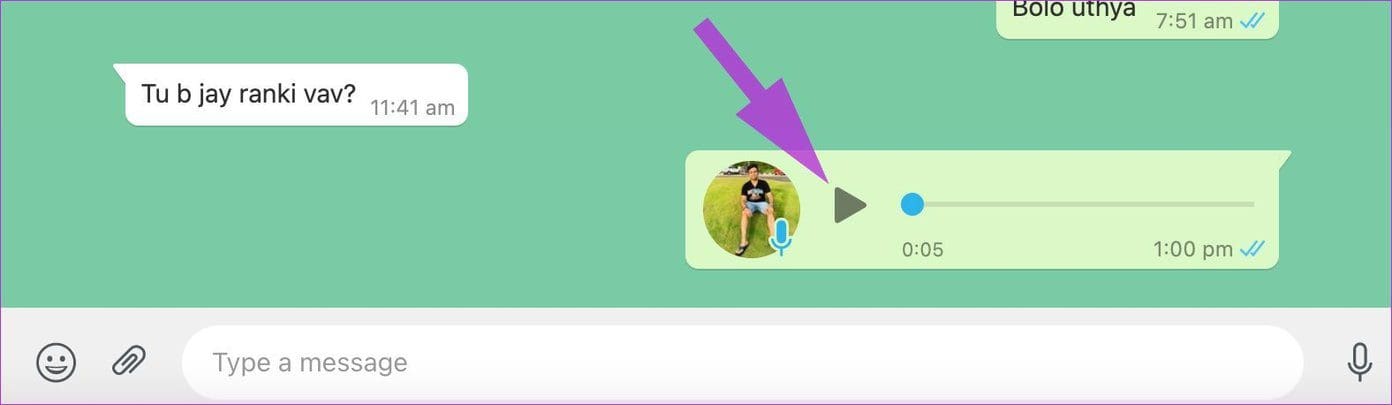
Click on the speed icon to change the playback speed of the audio message.

READ NEXT
-
Kids Weight Training: Is weight training safe for children? Know the correct age, benefits and important precautions

-
Benefits and right time of applying oil to hair

-
UP’s daughters struggle: Government is giving free scooty to go to college
-
Danger of cyber fraud increased from SMS to UPI, SMS scams increased by 146% in India, big revelation in the report

-
Big announcement of huge increase in dearness allowance! fun of government employees