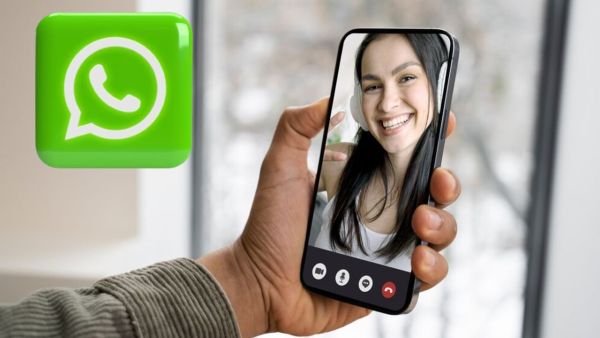
If you want to record someone's call, you can do it easily. You get the call recording feature in almost all smartphones. But the problem occurs when the call is going on on WhatsApp. Now how can you record WhatsApp calls? Most people use third party apps for this and try different apps. But you will not need to do anything like this. You can record WhatsApp calls without any app. But to know how you can do this, read its process below.
How to record WhatsApp calls?
Anyone's WhatsApp call can be recorded, whether it is an incoming call or an outgoing call, both WhatsApp calls can be recorded.
- Whenever you receive a WhatsApp call or you make one to someone, do these things during the call or before making the call.
- Start screen recording on your phone. But the most important step in this is that the sound option will be shown for recording. In this, you must select the option of media and mic.
- After this, you will have to click on the option of start recording. After this, your call recording will be done, not only this, the video will also be shown to you in it.
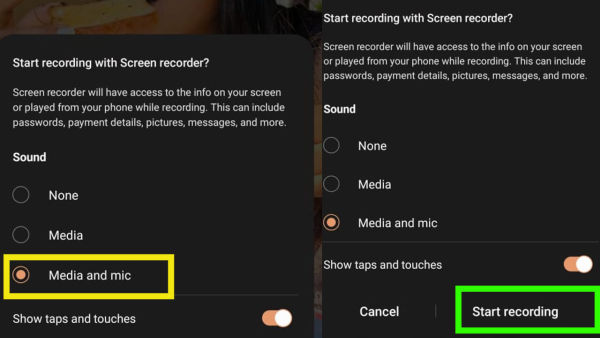
WhatsApp Call Recording
Although it is possible that the voice may be less clear, but this recording will be useful for your basic needs. You will understand enough voice in it to understand it.
You can also record video calls
With the help of the above mentioned method, you can record not only voice calls but also anyone's video calls. The same process has to be followed to record video calls as well. But be careful, avoid misusing this method. Avoid recording anyone's voice or video call unless necessary.
-
Japan: Superstitions make some homes hard to sell or rent

-
India's first hydrogen-powered train hits the tracks

-
Job opportunity with the country's largest examination agency; salary up to ₹2 lakh..

-
Former Badrinath Temple Official Arrested in Alleged Donation Theft Case

-
New Bundesliga broadcasting deal in the US: Reach over money