
WhatsApp is the most used instant messaging app in the world. After receiving photos and videos in the app, as soon as you click on the photo or video, it automatically starts getting saved in the gallery of your phone, which gradually fills up the phone's storage.

There is a way to solve this problem but for this you will have to make some changes in WhatsApp Settings. Due to the phone getting full, the performance of the device gets affected which is bound to make you angry.
Let us tell you how you can stop photos and videos from being saved in the phone? You can stop it in two ways, but you have to think whether you want to stop it for individual chats or for group chats?
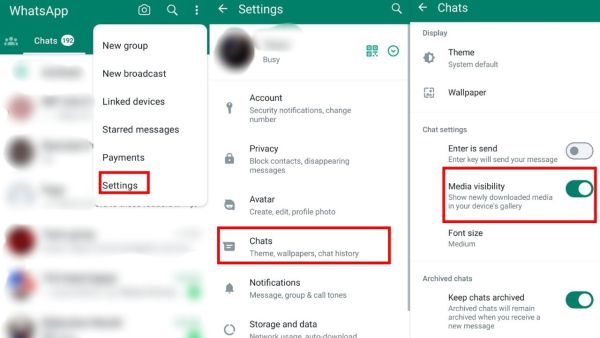
First of all open WhatsApp and then tap on the three dots on the top right side. After this click on Settings and then click on Chats option and turn off Media Visibilty in the Chats option. (Photo Credit - WhatsApp App)
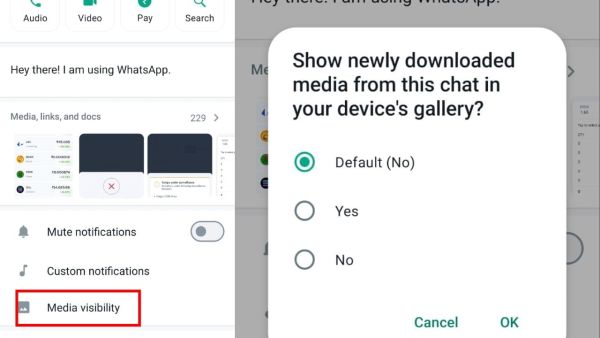
If you want to disable this feature for a single chat, first open the chat in which you want to disable the feature. After the chat box opens, tap on the three dots on the top right side and click on View Contact. After this, disable the Media Visibility option. (Photo Credit - WhatsApp App)
-
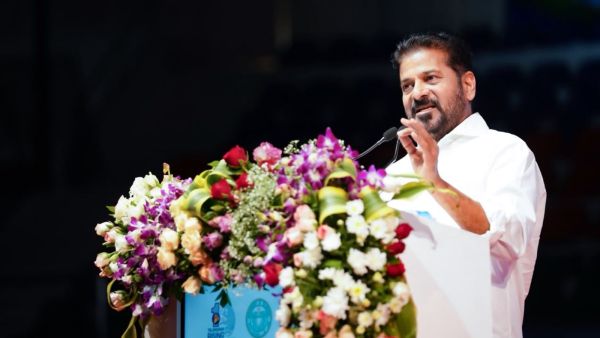
Telangana govt clarifies on Revanth’s duplicate voter list entry
-
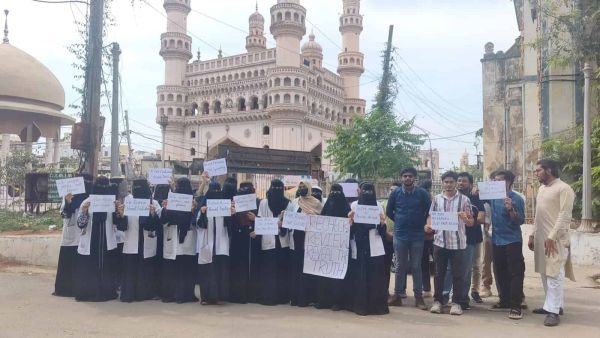
Hyderabad: Nizamia Unani students protest after only 5 pass exam
-
Only 38% Of Consumers Trust The Purity Of Ghee They Buy, Survey Finds

-
Singapore HC Rejects Byju Raveendran's Plea To Halt Six-Month Jail Sentence

-
Now painting your house will also be expensive. Asian Paints has increased the price of paint by 12%. What is the reason behind this?