
WhatsApp doesn’t have a privacy setting to stop messages from contacts unless blocked (which they might know about). However, you can hide/ignore someone’s messages without them knowing. You can mute, archive, or lock the chat.
Method 1. Use Mute to Avoid Messages From Someone on WhatsApp
Mute is one of the easiest ways to avoid messages from someone on WhatsApp without blocking them. Once you mute a personal or group chat, you will not be notified about any new messages from them unless they mention you.
Notably, the messages from a muted user will still appear in your chat list. They’ll just be silently delivered and you can ignore them all you want. Follow these steps to mute a WhatsApp chat on Android and iPhone:
Step 1: Launch WhatsApp on your phone. Open the chat you wish to mute.
Step 2: Tap the person’s or the group’s name from the top to open the contact info screen.
Step 3: Here, select Notifications. Do the following depending on your device.
- On an iPhone – Tap Mute
- On an Android device – Enable the toggle next to Mute notifications.

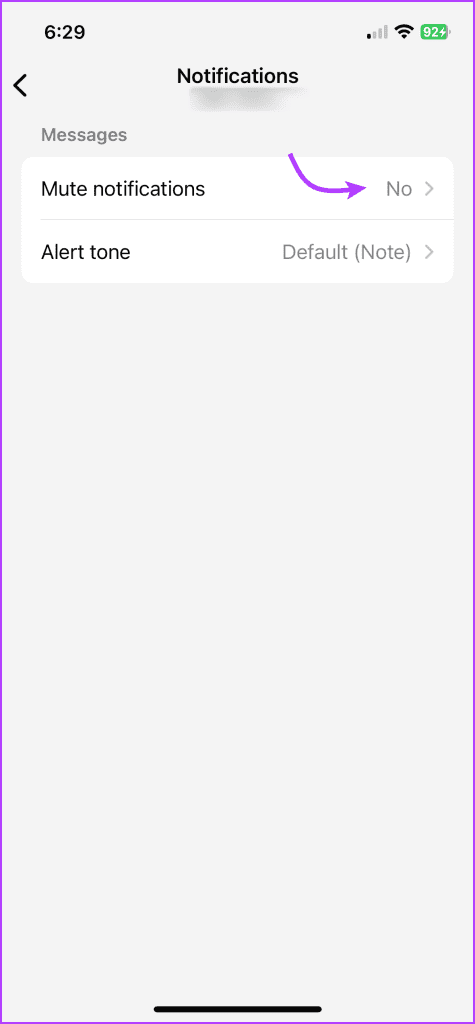
Step 4: In the pop-up window, select the mute duration and press OK(Android).

Once muted, you will see the mute icon (speaker/bell with a bar) next to the muted chat. Know the difference between mute and block on WhatsApp to better understand the feature.
Tip: Another way to mute a chat on Android is by long-pressing the chat and pressing the Mute (Speaker) icon at the top. On iPhone, swipe left on the chat and tap the three-dot icon. Select Mute.
Method 2. Use Mute and Chat Lock
WhatsApp has a built-in feature to lock individual chats with the intent of hiding messages. However, you are still notified about new messages in the format X new messages, where X is the number of messages.
What you need to do is mute the chat and then lock it. That way, the messages are muted and put in the Locked folder. So, you will not be disturbed by new messages from the user. And you would have done it without blocking the user.
Step 1: First, mute the chat, as shown in method 1. Make sure you see the Speaker with a bar icon next to the muted chat.
Step 2: Now, open the muted chat and tap on the contact name from the top.
Step 3: Enable the toggle next to the Chat lock (Android) or Lock Chat (iPhone) option. Tap Continue to lock the chat.
To access locked chats, open WhatsApp → pull down the chat list to reveal hidden options. Tap the Locked Chats folder. Then, use your fingerprint or Face ID to unlock the folder.

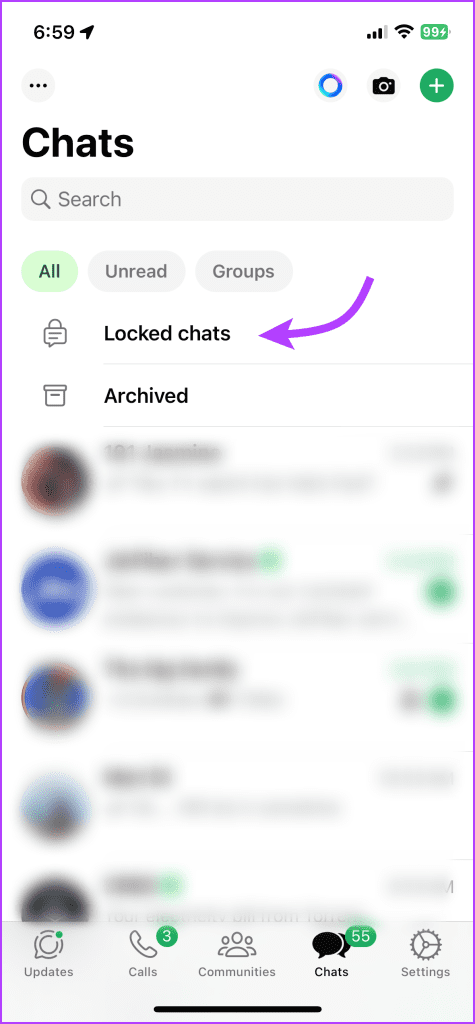
Note: The chat will also be locked on your linked devices (except WhatsApp web).
Method 3. Using Archive
Another way to ignore someone on WhatsApp without them knowing is by archiving the chat. This method offers the advantage over the first method as it hides the chat from the main chat list as well. The archived chat is kept in a separate folder known as Archived Chats.
You must open the folder manually to see new messages. Typically, archived messages are unarchived when you receive a new message in the archived chat. However, WhatsApp offers a feature to keep chats archived permanently. So, you must enable this setting once before archiving the chats.
Enable Keep Chats Archived Setting
Step 1: Open WhatsApp Settings.
- On Android: Tap on the three-dot icon at the top and select Settings.
- On iPhone: Tap on the Settings tab at the bottom.
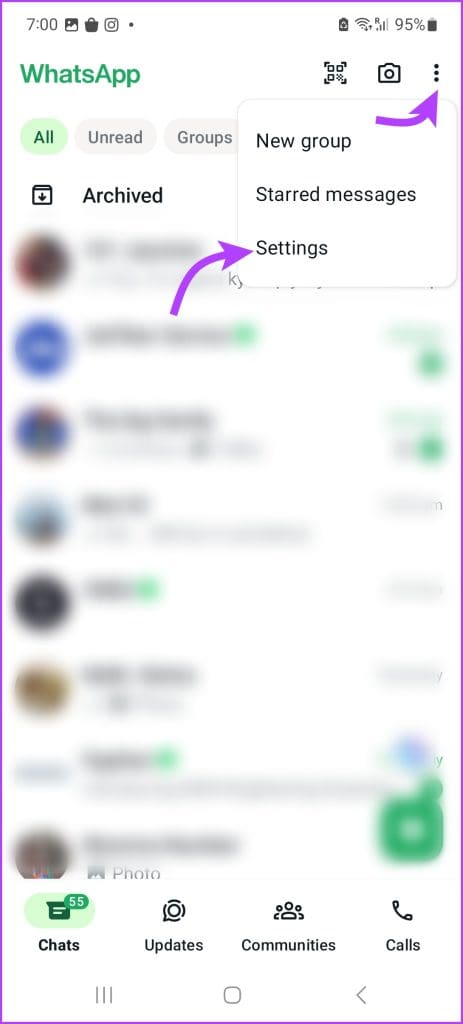
Step 2: Go to Chats and turn on the toggle next to Keep chats archived.
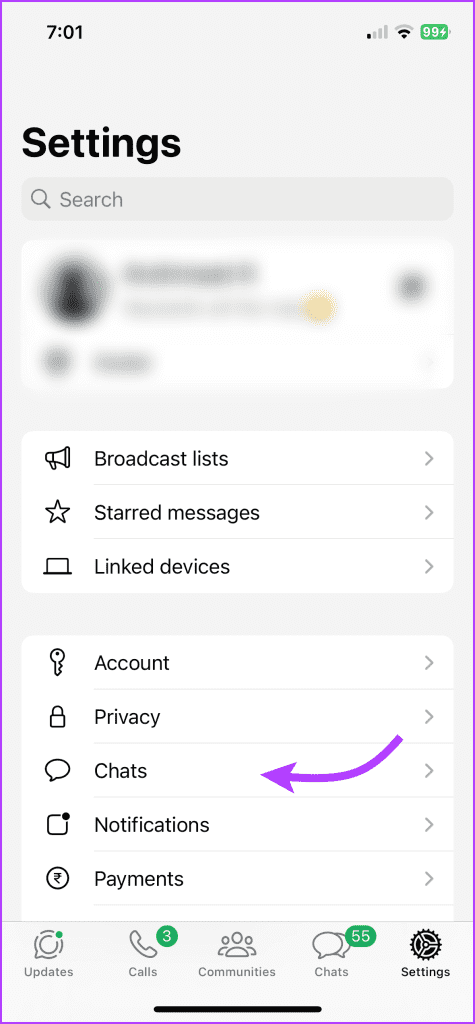
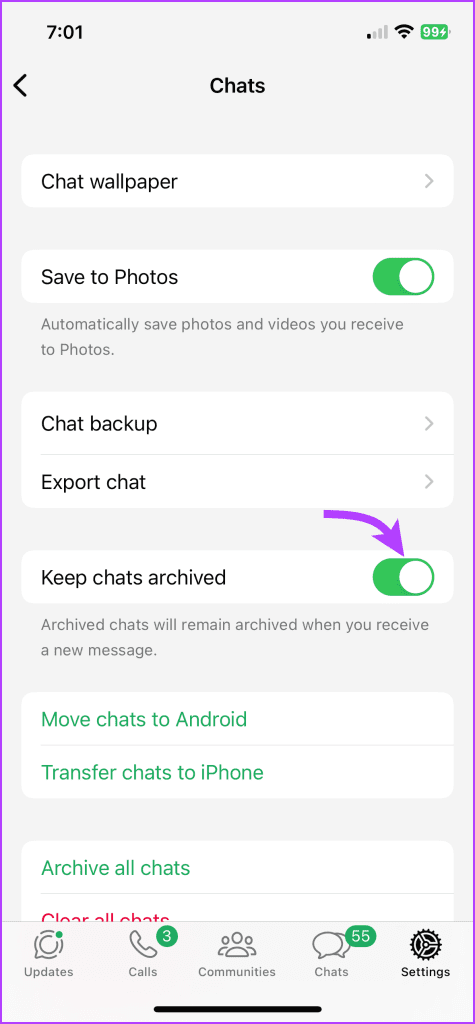
Now, the chats will remain hidden and archived, and you will not be notified about new messages from the archived chats. Please remember that this setting will affect all archived chats and not just a single chat.
Next, use these steps to archive a WhatsApp chat on Android and iPhone.
Archive a WhatsApp Chat
Step 1: Launch WhatsApp. Press and hold the chat that you want to archive.
Step 2: Tap the Archive chat icon at the top (Android) or from the contextual menu (iPhone).
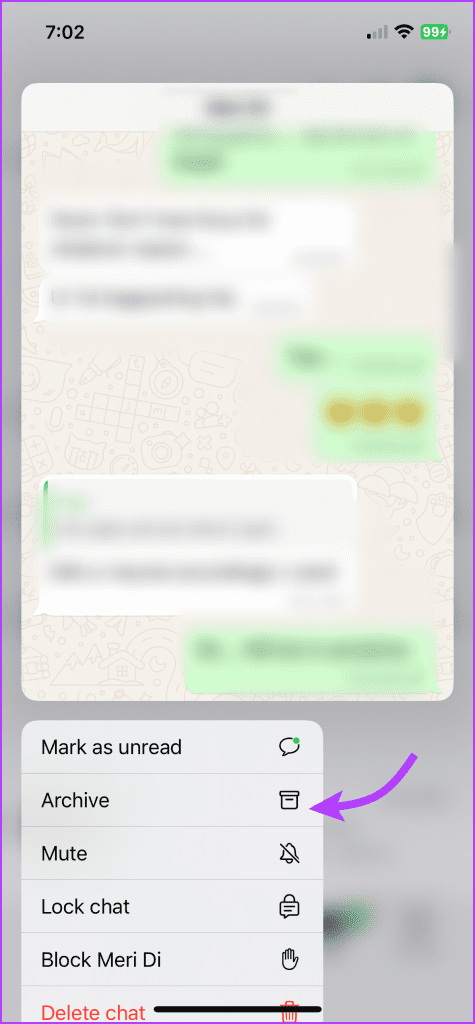
Additionally, on iPhone, you can swipe left on the chat that you want to archive and select Archive.
Tip: These three methods will help you to stop receiving WhatsApp messages from someone without blocking them. However, you can block unknown numbers on WhatsApp for stricter actions.
Qs on WhatsApp Messages
1. How to stop receiving messages on WhatsApp from everyone without uninstalling?For that, you must turn off WhatsApp notifications. On Android, go to Settings > Apps and tap on WhatsApp, followed by Notifications. Turn off the toggle at the top that says On or Allow notifications. On iPhone, go to Settings > WhatsApp > Notifications. Turn off the toggle next to Allow Notifications.
2. Will the user know if you mute, archive, or lock a WhatsApp chat?
No, the other user will not when you mute, archive, or lock their chat.
-
Will England Get a Bank Holiday If They Win the World Cup?

-
Slaven Bilic returns as Croatia head coach, ending two-year break from management

-
That herbal secret of monsoon! These 6 surprising changes can be seen in the body after drinking a cup of Tulsi tea every day.

-
Suspicious death of 50 year old woman in Meerut, husband and son in custody

-
Recipe to make Crispy Imarti at home