

The use of the popular chatting app WhatsApp has become a common thing, people have been using this app for many years. But then there are some features, which very few people know about. WhatsApp constantly brings new features to its platform. However, not every user has the correct information about the new updates. Most people use it only to share photos, videos, audio, contacts, and documents. But what is the special feature, with the help of which you can know important information about your partner.
A special feature of WhatsApp
If you want to know with which person your partner talks the most on WhatsApp, then for this the company provides a special feature. The name of this feature is Manage Storage. Yes, the Manage Storage feature available in WhatsApp can prove to be very useful. With the help of this feature, you will know with which person your partner talks the most.
Follow these steps
First of all open WhatsApp on the device.
Then click on the three dots given on the top right side of the screen.
After this, go to the Settings option.
Then you will find the Storage and Data section on the screen, click on it.
After clicking, you will get the option of Manage Storage.
Then open the Manage Storage option.
After this, a complete list of chats will appear on the screen.
The person whose name is at the top of the list, is the person with whom the most chats have taken place on WhatsApp, meaning the most photos and videos have been shared with that person.
Follow our Whatsapp Channel for latest update
https://whatsapp.com/channel/0029VaBgLMfGU3BO99EQv62t
-
Freddy Adu believes Arsenal prodigy Max Dowman could be England’s version of Lamine Yamal

-
CM Revanth reaffirms commitment to restore Kaleshwaram barrages

-
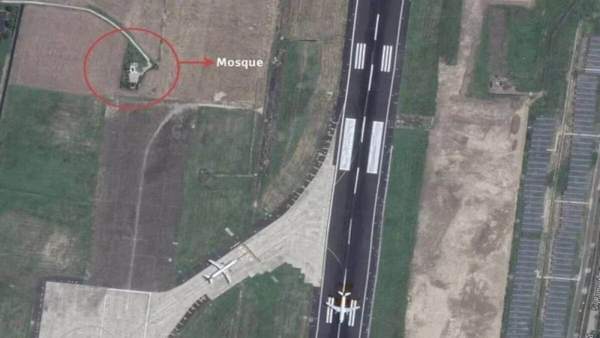
Namaz suspended for 3 days at mosque inside Kolkata Airport
-
Ten from Tamil Nadu dead in Vietnam boat capsize

-
Fifteen Indian tourists dead as boat capsizes in Vietnam