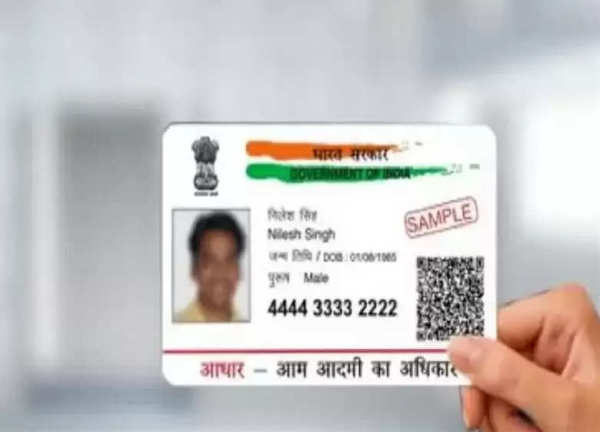
As we told you in our earlier article Aadhaar cards are among the documents are mandatory documents for various government and non-government works, so there should be no mistakes it is important to always be updated, in such a situation, with the rise of digital services, many of these now require OTP sent to the mobile number linked to your Aadhaar. To ensure that you can use these services, it is important to keep your mobile number updated in your Aadhaar records, let's know how you can update your mobile number from home in one click-
How to change your mobile number linked to your Aadhaar card
Visit the Aadhaar Enrollment Center: Locate your nearest Aadhaar enrollment center.
Fill out the Update/Correction Form: Get the Aadhaar Update/Correction Form and complete it.
Submit the Form: Hand over the filled form to the Aadhaar executive. Your biometric verification will be used to update your number.
Pay the fee: A fee of Rs 50 will have to be paid for the update process.
Get Acknowledgement: You will get an acknowledgment slip with the Update Request Number (URN). This number allows you to track the status of your update.
Complete the update: Make sure the mobile number is updated in the Aadhaar database within 90 days.
Updating mobile number from home:
Visit India Post Payments Bank website: Visit the India Post Payments Bank website.
Visit Service Request: Select the 'Service Request' option.
Open Non-IPPB Banking: Select 'Doorstep Banking' from the list.
Select Aadhaar-Mobile Update: Check the Aadhaar-Mobile Update box and fill out the required form.
Submit the form: Once completed, submit the form.
The Department of Posts will contact you to arrange biometric verification at your home. After this process, your mobile number will be updated in the Aadhaar database.
How to verify mobile number linked to Aadhaar
1. Using Update Request Number (URN):
- Visit the Aadhaar Self-Service Portal.
- Under the 'My Aadhaar' section, select 'Check Aadhaar Status'.
- Enter your Aadhaar number and URN from the acknowledgment slip, followed by the captcha code.
- Click on 'Check Status' to view the update status.
2. Verification via Email/Mobile Number:
- Visit the official website of Aadhaar.
- Go to 'My Aadhaar' under 'Aadhaar Services'.
- Enter your 12-digit Aadhaar number, your mobile number and the captcha code.
- An OTP will be sent to your mobile number. Enter the OTP and click on 'Verify Email/Mobile Number'.
- If the number is successfully verified, you will receive a confirmation message.
-
Jharkhand Students’ Protest Reaches Supreme Court; PIL Demands CBI Probe, Cancellation Of JPSC Exam

-
Senate Confirms Cameron Hamilton to Lead FEMA Alongside 73 Trump Nominees

-
Toxic Trailer: Yash Serves Gore And Machismo As Kiara Advani, Nayanthara Struggle For Space

-
Inter Miami vs Monterrey Free Live Streaming Online and Telecast of Leagues Cup 2026

-
Padikkal seals No. 3 spot with stylish hundred as Jaiswal, Pant fail