How to preview voice notes on WhatsApp before sending them
07 Dec 2024
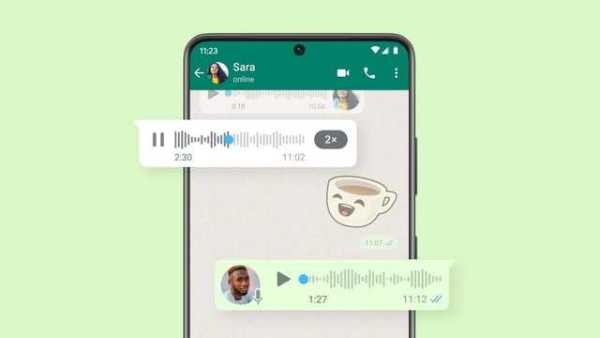
WhatsApp allows users to preview voice notes before sending them, offering a convenient way to ensure your message is clear and accurate.
By listening to your voice note, you can ensure your tone, content, and delivery are just right.
It's a simple but effective way to communicate more confidently and avoid misunderstandings in important conversations.
Follow these steps
User guide
To use this feature, you first have to open an individual or group chat.
After pressing and holding the microphone icon, slide up to activate hands-free recording.
Once the message is recorded, tap the pause button, followed by the play button to preview the recording.
For precise playback, you can tap and drag any part of the recording to play it from a specific timestamp.
Additional options for voice note management
Flexibility
In addition to previewing their voice notes, users also have the option to delete the recording or continue recording if they wish.
Once satisfied with their message, they can send it by tapping the send button.
This feature provides flexibility and control over voice messages before they are shared with others on WhatsApp.
-
Infant loses arm due to medical negligence at govt hospital in Khammam

-
Spain-bound United Airlines flight turns back after security threat midair

-
Kerala: Toddler dies after constant harassment from stepfather, 50 injuries found

-
IPL finals: RCB bowlers shine bright, restrict Gujarat Titans to 155/8

-
IPL 2026: Why is Vaibhav Sooryavanshi in Ahmedabad despite Rajasthan Royals not making the final?