
The chat theme feature has been started on WhatsApp. The experience of using the instant messaging app will change through the new feature. Now you can customize your chat bubbles and wallpaper according to your choice. In the new chat theme, you can give a new theme to the chats of different people. Different themes can be applied to a girlfriend, friend, or boss. If you want, you can apply the same theme to all chats.
The new feature has been mentioned in WhatsApp's X post. With the new features, you can have more control over the look of your chat. You can change the color of the chat according to your choice and set different themes.
Pre-set theme available on WhatsApp
You are getting a pre-set theme on WhatsApp. Through this, you can apply the theme of your choice in both the background and bubbles of your chat. Apart from this, you are also getting the option to apply a customized theme. You can also create your unique theme by using all the colors. Not only this, WhatsApp has also introduced 30 new wallpapers. You can also select from these built-in designs. Apart from this, you can upload background from your photo gallery.
How to change the chat theme in WhatsApp
To apply default theme on all chats, first go to the Settings option on WhatsApp. Click on the Chats option. After this, click on the Default Chat Theme option. Here you can select the chat theme of your choice.
Now you will also be shown the option to change the color of different chats. iOS users can change the theme by clicking on the Chat option showing at the top of the screen. If you are an Android user, then click on the three dots in the Chat section. Click on the Chat Theme option and change the theme. The best thing is that these themes are private. Only you can see them. It will not be visible to the person in whose chat you are applying the theme.
-
Aluminum Foil In Oven: How safe is it to use foil in the oven? Know what experts say

-
Aluminum Foil In Oven: How safe is it to use foil in the oven? Know what experts say
-
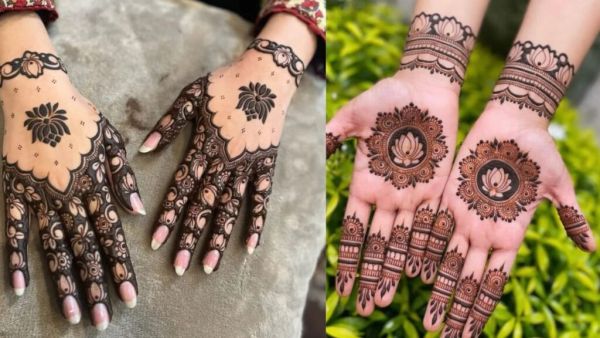
Bakrid Mehndi Designs: From Arabic to minimal, apply these latest mehndi designs on Bakrid.
-
Bakrid Mehndi Designs: From Arabic to minimal, apply these latest mehndi designs on Bakrid.
-
Tata Tiago EV Facelift Interior Revealed: Dual Floating DIsplay, Redesigned Cabin And Upgraded Comfort Features, Check All Features And Launch Date