
Highlights
- GPU acceleration in browsers boosts rendering speed, responsiveness, and media quality in 2025.
- AI features like predictive caching and semantic readers make browsing smarter and more context-aware.
- Hardware demands, energy trade-offs, and web inefficiencies limit full adoption despite clear performance gains.
In 2025, the development side of web browsers will take off and soar strongly, as browsers are on the threshold of a new era of development. They have not only changed their roles as browsers for HTML rendering and JavaScript execution only, but also as sophisticated platforms that are capable of providing not only the large but also the heavy processing and the increasingly AI-directed web experiences. The technology generation that is going to be of GPU acceleration and AI is going to be the one to take over the web with its redefined speed, responsiveness, and media quality.
The requirement of developing GPU acceleration in browsers
Generally, the browser architecture does all the graphics layout, painting, layering, and scripting, mainly using the CPU, which was a wise choice since the web pages were mostly text and very basic images. Gradually, scenarios that the CPU-bound pipelines are revealing are huge limitations since the demand on the web grows: poor quality scrolling, slow responses to input, and high power consumption, among others, with the increasing use of WebGL, WebGPU, rich media, interactive animations, and complex applications running completely in the browser.
Graphic Processing Units (GPUs) are processors designed for parallel computation, making them ideal for pixel-by-pixel manipulations, image layering, and speeding up visual effects. By transferring rendering tasks, these capabilities go farther than just being fast: they change the way that users experience pages and how browsers allocate resources across different devices.
Leading implementations in 2025
As of late 2025, several browsers and browser engines have integrated GPU acceleration and AI enhancements at varying depths. Google Chrome/Chromium, Microsoft Edge are competing along performance and feature axes.
Chrome and Chromium derivatives
Chrome’s ongoing performance strategy emphasises both GPU utilisation and AI-based optimisation. Chrome offloads increasingly large portions of rendering, including compositing, video decoding, and WebGL/WebGPU execution, to the GPU. The result is perceptibly smoother scrolling and faster paint times on complex pages. On high-end hardware, Chrome’s GPU pipelines reduce jank on sites with heavy animation or dynamic content.
The inclusion of features such as “GPU rasterisation” and “Zero-Copy Rasterizer” in Chromium streams large image assets directly to GPU memory, trimming latency. Real-world testing confirms that GPU-accelerated compositing significantly improves frame stability on resource-intensive pages, particularly on laptops and desktops with discrete GPUs.
Chrome also embeds AI-driven features such as predictive caching and tab grouping suggestions. These AI services analyse browsing patterns locally to anticipate likely user actions (e.g., pre-loading frequently visited pages or suspending background tabs intelligently to conserve RAM). The integration demonstrates that AI in browsers is no longer limited to novelty functions like summarisation, but extends to performance optimisation.

Edge and hardware integration
Microsoft Edge inherits much of Chrome’s engine while integrating deeper with Windows and hardware acceleration stacks like DirectX. Edge’s implementation of GPU acceleration is tightly coupled with system power management: on laptops, it dynamically scales GPU workloads to balance smooth rendering with battery life.
Edge also experiments with AI enhancements, such as on-device merit-based ad filtering and semantic reader views powered by local large language models (LLMs). Evaluators note that Edge’s blend of GPU acceleration and system-aware optimisations yields lower power draw during video playback compared to baseline CPU-bound browsers, although gains vary by device class.
Real-world usability: speed, responsiveness, and energy
To evaluate GPU-accelerated browsers meaningfully, it is essential to move beyond benchmark scores and examine everyday interaction.
First, page rendering and scrolling feel noticeably smoother when compositing and paint tasks reside on the GPU, particularly on visually dense pages with animated elements. Sites with infinite scroll, large images, and dynamic DOM updates benefit because the GPU can parallelise pixel operations that would otherwise bottleneck on the CPU. In side-by-side tests, GPU-enabled browsers sustain higher frame rates and reduce perceived lag when zooming or panning.
After that, the characteristics that are being driven by AI are gradually taking over browser behaviour in such a way that it feels like “smarter” rather than “just quicker.” Predictive caching is one of the features that predicts the likely next navigations, and thus, it cuts down the load time for the pages that are frequently accessed. Intelligent tab suspension is another feature that pauses those background tabs that haven’t been interacted with for a certain time threshold, thus freeing up RAM and reducing the CPU’s waking up.
Semantic reader modes that are powered by local LLMs extract important text and redesign pages for concentrated reading; a win for individuals with disabilities and a war-free environment for those who want to be undisturbed. Such features reinforce the notion that future browsers are not just getting the job done faster but also getting the user intent more accurately.

The AI integration frontier
AI in browsers is not monolithic. Some enhancements, such as predictive caching and tab management, are driven by models that analyse usage patterns locally without sending data to the cloud. This design respects contemporary privacy expectations while delivering tangible usability improvements.
Chrome’s AI features tread this line of tension between cloud and on-device carefully, implementing default local inference where possible and resorting to cloud acceleration with user consent for heavier tasks. Edge emphasises system-integrated AI where Windows hardware accelerators are available, while Firefox’s cautious approach prioritises transparency and user control over opaquely beneficial but potentially intrusive AI services.
Evaluators of AI browser features note that execution quality varies by task. Predictive behaviours improve perceived performance, while summarisation and semantic extraction deliver value in research and reading contexts. However, users must weigh convenience against the privacy implications of model execution. The most respected implementations keep inference local and provide clear controls over data use.
Affordability and resource costs
Browser technologies are generally free at the point of use, yet the costs of GPU acceleration and AI augmentation manifest indirectly in hardware requirements and energy consumption. Users on older machines may find themselves pressured to upgrade to benefit from GPU offload and accelerated AI workflows. For enterprises, standardising on GPU-capable hardware to fully exploit browser capabilities represents a capital decision rather than a software subscription.
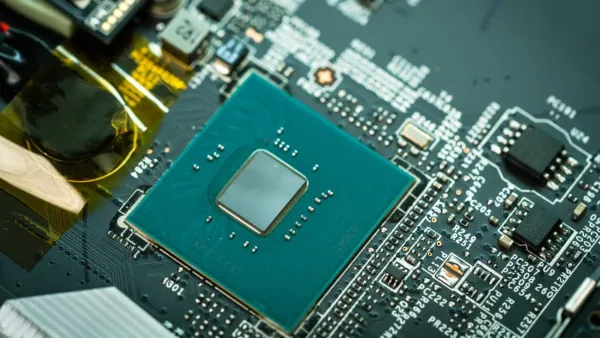
Energy cost is another dimension. GPU acceleration reduces CPU load and can extend battery life during video playback and graphics-heavy interaction, but offloading work to the GPU increases energy draw from the graphics subsystem. On mobile devices and laptops, the net effect on battery depends on hardware architecture and driver efficiency. Modern SoCs with unified memory and dedicated video decoders mitigate this tension, but older discrete configurations can exhibit less favourable trade-offs.
Where the technology still falls short
Browsers with GPU acceleration are undeniably a big step up; however, they cannot completely eliminate every issue that the modern web still has. Still, complex web applications are majorly dependent on inefficient frameworks and heavy JavaScript, which, in turn, complicate the issue of GPU offloading to an architecture built with inefficiency at its core. AI has always been a promise, but the results are sometimes not up to expectations in some areas, like summarisation and semantic understanding, where a little more granularity is required.
Input latency for some advanced features, gesture-based navigation, spatial previews, and adaptive layouts, remains higher than native application equivalents. Moreover, GPU acceleration and AI features do not address fundamental web fragmentation: performance and compatibility can still vary widely between browsers, leading to inconsistent user experience across the web.
Conclusion: a smarter, smoother future with caveats
By 2025, the incorporation of GPU acceleration and AI has started a web browsing revolution, mainly from a CPU-dependent, static task to a lively, context-aware one. The invisible gains are already experienced by users through faster rendering, better video handling, smart tab and resource management, and AI help in content understanding. The top browsers have merged these features with varied concentrations on privacy, openness, and system integration, giving users a range of options that fit their priorities.
But the change is gradual and not radical. Research on ARP (Augmented Reality) and spatial browsing is still ongoing; however, for the majority, the GPU-accelerated browsers of 2025 still facilitate existing behaviour rather than creating new ones. Hardware criteria, dependency on drivers, and AI control are part of the infrastructural limitations that slow down the change.
-
Handshake controversy reached India-Bangladesh, big ruckus in U19 World Cup, Video

-
Reheated Rice And Food Poisoning: What You Need To Know

-
94-Year-Old Fast Food Chain Buys $10M In Bitcoin As Volatility Hits Record Low

-
Home Remedy for Blood Pressure: “Its leaves are Sanjeevani herb for blood pressure! – News Himachali News Himachali

-
The stock market cheated but the gold in the house made one rich! This year the situation will be like this