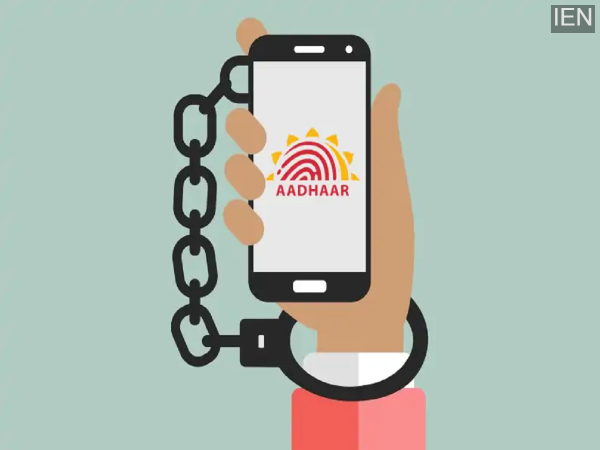
UIDAI has provided all users with a feature to lock and unlock their Aadhaar. With this, you can secure your Aadhaar yourself. Let's tell you how this feature works and how you can enable or disable it online or through the app.
Aadhaar has a very useful feature called Aadhaar Lock/Unlock. Its purpose is to allow you to decide when and how your Aadhaar number is used. In today's time, the safety of our personal details is paramount. Keeping this in mind, UIDAI has provided this facility to all of us.
Now the question is, how to lock and unlock Aadhaar? You can lock your Aadhaar number through the UIDAI website myaadhaar.uidai.gov.in or the mAadhaar app. When Aadhaar is locked, no authentication can be done using UID, UID token, or VID through biometric, demographic, or OTP. This makes your Aadhaar even more secure.
What happens when Aadhaar is locked?
When you lock your Aadhaar, identity verification using the Aadhaar number is temporarily suspended. This means that no company, bank, or service provider can verify your identity directly using your Aadhaar number. However, you can use your Virtual ID (VID). This is a 16-digit number linked to your Aadhaar. Identity verification can be easily done using this.
How to lock Aadhaar?
Method 1 - Through the UIDAI website
- First, go to the UIDAI website.
- Go to the ‘My Aadhaar’ section and click on the ‘Aadhaar Lock & Unlock’ option.
- Now select ‘UID Lock’ and fill in your Aadhaar number, full name, and PIN code.
- After this, you can choose to receive the OTP via SMS or use the TOTP from the mAadhaar app.
- Simply enter the OTP or TOTP received and submit it. Once your Aadhaar is locked, you will receive a confirmation message.
Second method - mAadhaar app
- First, install the mAadhaar app from the Google Play Store or Apple App Store.
- Open the app and log in with your registered mobile number. You will receive an OTP for this.
- After logging in, go to the Services section and select the Aadhaar Lock/Unlock option.
- Now tap on Lock Aadhaar and follow the steps given on the screen. You may need to enter your Aadhaar number and OTP for verification.
How to unlock Aadhaar
To unlock your Aadhaar, you need to have the new 16-digit VID. If you don't remember your VID, you can retrieve it again through the SMS service.
Steps to unlock Aadhaar
- Go to the UIDAI website.
- In the Aadhaar Lock/Unlock option, select Unlock.
- Enter your latest VID and security code.
- Now click on Send OTP or choose TOTP.
- Enter the OTP and submit.
-
Real reason King Charles 'will not see' Prince Harry next week

-
Notorious thief arrested in attempted theft case in Karkala

-
WhatsApp guide: How to use WhatsApp with a landline number and keep your mobile number private

-
Aus Open: Venus Williams bows out in first round after loss to Olga Danilovic

-
Noni Madueke given Arsenal wake-up call as Mikel Arteta faces harsh Chelsea truth