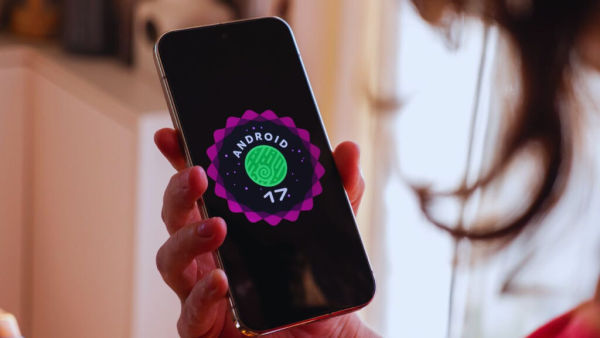
Google has released the first public beta version of Android 17. This update is giving developers and enthusiastic users an early experience of the next big mobile operating system. The tech giant said that in Android 17, special focus has been laid on performance, privacy and developer tools. Additionally, the company has made major changes to the release process for the developer community, moving from the traditional ‘Developer Preview’ to a continuous ‘Canary Channel’.
Android 17 Beta 1 includes many under-the-hood improvements as well as features to further improve the user experience. This update will take the performance of apps to new heights in background task management, power efficiency and multitasking. Along with further strengthening privacy and security, better support for large screen devices has also been added in this beta.
Improve performance and battery life
According to Google, Android 17 is bringing system-level optimizations in background task handling and power management. This will make apps run more efficiently, especially during multitasking. Users will experience better battery life and smooth performance.
New controls in privacy and security
Permission management has been made more transparent in Droid 17 Beta 1. Users will get better control and clear visibility over apps’ access to sensitive data like location, microphone and camera. Professional-grade tools have also been added for the media and camera apps, including seamless transitions and standardized loudness features.
Versatile video coding and audio framework changes
The update adds support for the Versatile Video Coding Standard. Also, strict restrictions have been imposed on background audio interactions in the audio framework. Audio playback, audio focus requests, and volume change APIs will no longer work without explicit user intent.
Subtle changes to the user interface
System animations have been made smoother in Droid 17. Refinements have been made to the behavior of notifications and quick settings. Support for large screen devices (foldables and tablets) has been extended. Now the option to opt-out from orientation and resizability restrictions has been removed, which will improve layout and scaling.
Size limit on custom notification views
The widget has strict restrictions on the size of custom notification views to reduce memory usage. Earlier there was a loophole to bypass the existing limit through URI, which has now been closed. This change will be applicable to apps targeting API 37 (Android 17).
How to Install Android 17 Beta on Pixel Phones
Android 17 Beta 1 is available for supported devices ranging from Pixel 10 series to Pixel 6. Steps to Install:-
-
Go to the Android Beta Program website and sign in with your Google Account
-
Select your eligible Pixel device and join the program
-
Go to Settings > System > Software Update on your phone
Check for Updates and Download Android 17 Beta 1 After installation, all future beta updates will be available via OTA. Note that beta software may contain bugs or stability issues, so it’s recommended for developers or advanced users rather than mainstream devices.
-
Rain threat looms over India vs Pakistan T20 World Cup match

-
We rape Palestinian women also, IDF soldier confesses to livestreamer

-
India has all ingredients to be a full-stack AI leader: Sam Altman

-
1954 Speaker removal debate: Nehru said Congress MPs not bound by whip

-
BNP election victory: Big win, but small change likely in Bangladesh