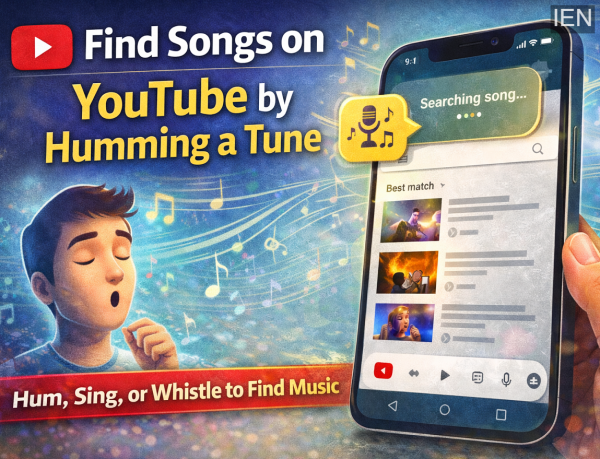
Have you ever had a melody stuck in your mind but couldn’t remember the song’s title or lyrics? This is a common situation for many music lovers. Earlier, people relied on music recognition apps like Shazam to identify songs. However, YouTube has introduced a smart feature that allows users to find songs simply by humming, singing, or whistling the tune.
This feature is designed to make music discovery easier and faster, especially when you only remember the melody. Instead of typing keywords or searching through multiple videos, you can now let your voice do the searching.
In this guide, we explain how the YouTube humming search feature works and provide a simple step-by-step method to help you locate songs quickly.
What Is YouTube’s Hum-to-Search Feature?
The hum-to-search feature allows users to identify songs by using their voice. You can hum, whistle, or sing a tune, and YouTube will analyze the audio pattern to match it with similar songs in its database. Within seconds, the app displays possible results that match the melody.
This tool is particularly helpful if:
-
You forgot the song name.
-
You don’t know the lyrics.
-
You heard the music somewhere and only remember the tune.
Currently, this feature is available mainly on the YouTube mobile app and may not work on the desktop or web version.
Step-by-Step Guide: How to Find a Song by Humming on YouTube
1. Open the YouTube App
Start by launching the YouTube app on your smartphone. Make sure you are using the latest version of the app for the best experience.
2. Tap on the Search Icon
Once the app opens, locate the search icon at the top of the screen. This is where you normally type queries to find videos.
3. Activate the Microphone
Next to the search bar, you will see a microphone icon. Tap on it to start the voice-based search feature.
If prompted, allow the app to access your phone’s microphone. You can choose to allow access only while using the app.
4. Hum, Sing, or Whistle the Tune
Now comes the key step. Hum, sing, or whistle the melody of the song you are trying to identify. Try to keep the tune clear and steady for better results.
YouTube will analyze your input and compare it with songs available on the platform.
5. Check the Results
After a few seconds, the app will display a list of songs that match your tune.
-
If the correct song appears, tap on it to play the video.
-
If not, you can repeat the process and hum the melody again.
Availability of the Feature
Although this feature is exciting, it may not be available to all users yet. Reports suggest that it is being rolled out gradually, mainly for Android users, including those who are part of the beta testing program.
Users in some regions, including parts of India, may experience limited access at the moment. There is also no confirmed timeline yet for when the feature will be fully available on iOS devices.
Why This Feature Is Useful
The humming search option offers several advantages:
-
Quick music discovery: No need to search manually.
-
Useful when lyrics are unknown: Works even if you only remember the tune.
-
Convenient within the same app: No need to install separate music recognition tools.
-
Improved user experience: Makes exploring music easier for casual listeners.
Tips for Better Song Identification
To increase the chances of finding the correct song:
-
Hum clearly and avoid background noise.
-
Repeat the most recognizable part of the melody.
-
Try again if the first result isn’t accurate.
-
Ensure your internet connection is stable.
Final Thoughts
The hum-to-search feature on YouTube is a helpful addition for music fans who often struggle to recall song names. By simply humming a tune, users can quickly identify songs and start listening without hassle.
As the feature continues to roll out globally, it is expected to become a popular tool for discovering music effortlessly. If you frequently find yourself humming a tune and wondering about the song behind it, this feature could become your go-to solution.
-
Prizes distributed to winners of Udayavani Christmas crib competition

-
Sweat, STRAVA & Situationships: Inside Gen Z's Running Club Romance

-
What Led to Trump's Bold Move Against Iran's Nuclear Ambitions?

-
5 Historic Moments from India vs England T20 World Cup Games That Add Spice to the Rivalry

-
MP govt announces Rs 30 lakh compensation to kin of Indore sewer tragedy victims
