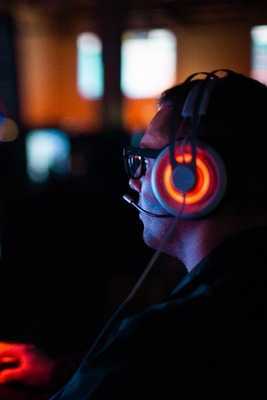
World of Warcraft isn’t exactly new, but it’s still tricky. The game’s aged well, sure, but if you’ve ever seen your FPS tank in a crowded raid or during a city event, you know that “runs on a toaster” isn’t quite the full story. Windows is the go-to OS for most PC gamers, and it’s more than capable… if you tweak it just a bit.
So, here’s a real-world guide. Not a perfect guide. Just some grounded, honest tips that might help you get WoW running smoother on your current setup.
Clean up what’s dragging your system downBefore diving into graphics settings or mods, start with the basics.
What’s eating your memory?
• Background apps can quietly drain CPU and RAM.
• Some launch at startup for no good reason, disable those.
Open Task Manager (Ctrl+Shift+Esc) and sort by memory or CPU usage. Discord and Chrome are usual suspects. You don’t need to nuke them completely, but maybe don’t have 47 tabs open while raiding.
Windows also has this sneaky way of letting old processes linger. Restarting your PC more often than “once a week when something crashes” is…helpful. Simple, but overlooked.
Update graphics drivers. Yes, againThis one’s easy to ignore. Especially if everything seems fine. But GPU manufacturers (NVIDIA, AMD, Intel) roll out updates that sometimes (almost randomly) improve game-specific performance.
Visit the official site, download the latest version. Don’t rely on Windows Update for this, it rarely includes the newest GPU drivers. According to Statista, NVIDIA and AMD still dominate the desktop GPU space, so there's a good chance you're covered.
Also, if you’re using a laptop, double-check it’s actually running on the dedicated GPU while gaming. Some machines quietly default to integrated graphics unless told otherwise.
Tweak in-game settings like a human, not a benchmark robotYou could copy someone’s “optimal” settings from Reddit. That’s fine, but sometimes it doesn’t quite fit your setup.
For starters:
• Turn off anti-aliasing if you’re running below 1080p.
• Drop shadow quality. It’s a notorious resource hog.
• Lower particle density during big group fights.
• Enable DirectX 12 if your GPU supports it, it’s generally more efficient.
Then play a little. Adjust one thing at a time, test in Dalaran (still weirdly laggy), and tweak again. You don’t need 120fps everywhere. If you can hit 60 and stay there, that’s more than playable.
Heirloom gear matters more than you think (for alts)Quick tip for anyone leveling alts or returning after a break: don’t ignore your gear.
You can seriously speed up the leveling process with heirloom gear: items that scale with your character and often provide XP bonuses. They're not just convenient; they reduce downtime, which means more time actually playing rather than stopping every 10 minutes to loot a marginal upgrade.
Even if you only plan to level one or two alts, it’s worth the small investment.
Reduce input lag with simple system tweaksInput lag might not seem like a WoW problem, but if you’re PvPing or just trying to react quickly in a Mythic dungeon, it absolutely matters.
Try this:
Set your monitor to its maximum refresh rate in Display Settings.
• Enable “Game Mode” in Windows (Settings → Gaming → Game Mode).
• Disable mouse acceleration in the Control Panel (Pointer Options tab).
• Use “Full Screen” rather than “Windowed Fullscreen” if your setup allows.
• These tiny adjustments add up. No single one is magical, but together they make your system feel more responsive.
Use a VPN, but pick the right oneHere’s something that gets mixed reactions, but in some cases, using a VPN can actually reduce latency. Strange, but true. Especially if your ISP routes you through congested or suboptimal paths.
That said, most VPNs weren’t made with gaming in mind. You’ll want something fast, stable, and privacy-focused (without clogging your ping).
I’ve tried a few over the years, and if you want a reliable option get ExpressVPN, this best VPN is easy to install and lets you test different server regions to see what works best for WoW.
Just don’t expect miracles. It helps in certain situations, but won’t replace a solid physical connection.
Be careful with third-party add-ons and overlaysAdd-ons are a huge part of WoW. Some players practically build entire UIs from scratch using WeakAuras, ElvUI, etc. But every add-on adds overhead. Both in terms of memory and load times.
A few thoughts:
• Audit your add-ons once a month. Remove stuff you don’t use.
• Use add-on managers like CurseForge, but avoid ones that run in the background constantly.
• Watch out for damage meters and combat trackers in large-scale fights. They can lag you out if your system’s underpowered.
Also, overlays from apps like Discord, Steam, or even GPU software can interfere with performance. If something feels off and you’ve tweaked everything else, try turning overlays off for a bit.
Last thing: don’t underestimate your internetThis feels obvious, but a surprising number of players still game over Wi-Fi with five other devices on the same network. That might work for casual browsing, but not during a world boss fight.
Use a wired connection if you can. At the very least, move your router closer or upgrade to a mesh system. According to FCC data, many households still don’t have consistent high-speed internet, even in urban areas.
And don’t just look at download speeds. Check your ping and jitter. WoW doesn’t use a ton of bandwidth, but it does need stability.
Final thoughts (sort of)
You don’t need a $3,000 gaming rig to enjoy World of Warcraft. Windows gives you enough tools, if you’re willing to mess with a few settings, ignore some Reddit advice, and maybe restart your PC more than once a month.
Is it perfect? Probably not. But if the game runs smoother, loads faster, and feels snappier… that’s already a win.
Oh, and if you ever wonder why Dalaran is still laggy? Honestly, nobody knows.
-
Team Chopsticks Or Team Hand? Anshula Kapoor Shows The Correct Way To Eat Sushi

-
Check LPG cylinder booking status in just a few minutes from home, know the easy way

-
There was an earthquake in Pakistan cricket, Babar Azam played!
-
Hockey World Cup 2026: India-Pakistan match date fixed, schedule announced

-
India got a difficult draw in Thomas and Uber Cup, BWF gave place in China’s group