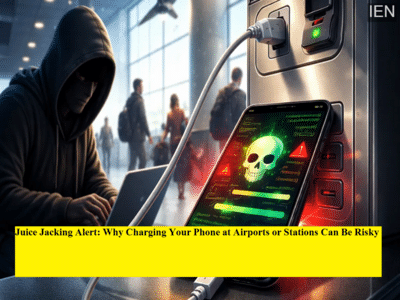
Charging your phone at public places like railway stations, airports, malls, or cafes may seem convenient—but it could also expose your personal data to cybercriminals. A growing cyber threat known as “Juice Jacking” is raising serious concerns among security experts, as hackers use public USB charging ports to steal data or install malware on smartphones.
Here’s everything you need to know about this emerging scam and how to stay protected.
What Is Juice Jacking?Juice Jacking cyber attack refers to a method where hackers exploit public USB charging stations to gain unauthorized access to your device.
Most people are unaware that USB cables are not just used for charging—they also enable data transfer. Cybercriminals take advantage of this feature by manipulating charging ports or cables to access sensitive information stored on your phone.
How Does This Scam Work?In a typical Juice Jacking attack:
-
Hackers tamper with public USB charging ports or cables
-
Hidden chips or malicious software are embedded into these systems
-
When you plug in your phone, the compromised port can:
-
Copy your personal data (photos, contacts, passwords)
-
Install malware or spyware
-
In some cases, gain control over your device
-
What makes this threat dangerous is that the process often happens silently—without any visible signs.
Why You Should Be ConcernedWith smartphones storing everything from banking apps to personal messages, a single breach can lead to:
-
Financial fraud
-
Identity theft
-
Unauthorized access to accounts
-
Data leaks
Cybersecurity agencies have already warned users to stay cautious while using public charging facilities.
Easy Ways to Stay SafeProtecting yourself from Juice Jacking is simple if you follow a few precautions:
1. Use Your Own ChargerAlways carry your personal charger and cable instead of relying on public USB ports.
2. Prefer Power Sockets Over USB PortsPlug your charger directly into a wall socket rather than using public USB charging stations.
3. Use a USB Data BlockerA USB data blocker prevents data transfer and allows only power flow, reducing the risk of hacking.
4. Avoid “Data Transfer” PermissionIf your phone prompts you to allow data sharing while charging, select “Charge Only” or deny access.
5. Keep Your Phone UpdatedInstall the latest software updates to ensure your device has the newest security patches.
Are Public Charging Stations Always Unsafe?Not every public charging port is compromised, but the risk exists. Since it’s difficult to identify which ports are safe, it’s better to avoid using them altogether.
Even a small lapse in caution can put your sensitive information at risk.
Final TakeawayJuice Jacking may not be widespread yet, but it is a real and growing cyber threat. As digital dependence increases, so does the importance of protecting your data.
Next time your phone runs out of battery in a public place, think twice before plugging it into an unknown USB port. A little awareness can go a long way in keeping your personal information safe.
Safety TipWhen it comes to cybersecurity, convenience should never come before safety. 🔒📱
-
The days of regret because the eyes are small! A little trick of makeup will bring back the magical look

-
Make these 3 things from buckwheat flour for healthy and tasty food during Navratri fast, know the recipe –

-
Send these 10 lovely messages to your loved ones on the holy festival of Chaitra Navratri.

-
Moon will be seen in Saudi Arabia on 20th, know when Eid will be celebrated in India

-
Eid 2026 Date: 20 or 21 March in India? Update of moon sighting and gulf countries