13
Complete news at a glance
- Apple has released a new iOS 26.4 update for iPhone users, which adds Playlist Playground for Apple Music, full-screen backgrounds, and 8 new emojis.
- The new update adds the Playlist Playground feature to Apple Music to create custom playlists with the help of AI and the Concerts Discovery feature to find live shows.
- Adult members in Family Sharing can now use their own payment methods, eliminating the need to rely on the Family Organizer.
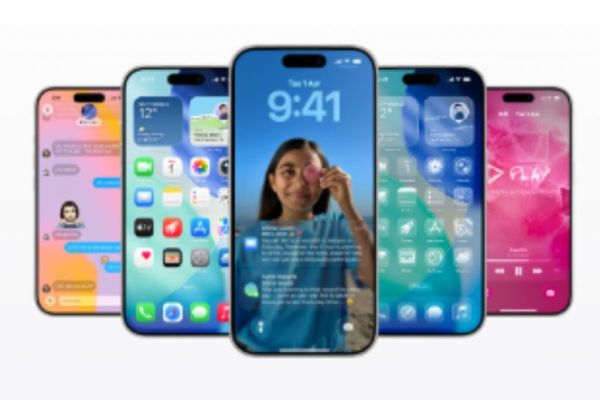
Apple has released the new iOS 26.4 update for iPhone users. This update is the fourth major version of iOS 26, which was first launched in September 2025. Many new features have been added to iOS 26.4, such as Playlist Playground for Apple Music, full-screen backgrounds, and 8 new emojis. However, this update does not include features like Apple’s much-awaited AI technology and Smart Siri, which users have been waiting for for a long time.
New features in Apple Music
The new update adds an important feature Playlist Playground to Apple Music, which automatically creates custom playlists based on the user’s mood, occasion or theme with the help of Artificial Intelligence (AI). However, this feature is currently available in beta stage.
Additionally, a new Concerts Discovery feature has also been added, which helps users find live shows near their favorite artists and recommends new artists based on their favorite songs.
The update also adds support for Offline Music Recognition in Apple Music, allowing users to identify songs even without the Internet and view their results later when online.
A new Ambient Music Widget has also been included, which lets users quickly open a list of songs curated on themes like Sleep, Chill, Productivity and Wellbeing on the home screen. Additionally, full-screen background is supported on Album and Playlist pages, making the music experience more immersive.
Apple Intelligence Update
Apple has further improved the Live Translation feature in Messages. Now incoming messages, even group chats, will be automatically translated in real-time into the user’s preferred language. Users can reply in their own language, which will be automatically translated into the other person’s language.
Freeform Creator Studio
AI-powered image tools have now been added to the Freeform app, allowing users to create, edit, and retouch images on their boards. Additionally, premium graphics and ready-made content libraries are also made available to Creator Studio subscribers.
Quick Toolbar
Now users can directly mark reminders as Urgent using the Quick Toolbar or by long-pressing and easily filter them in Smart Lists. Along with this, Apple has also added 8 new emoji for iPhone users, which include options like Orca, Trombone, Ballet Dancer, Landslide and Distorted Face.
Big upgrade in accessibility features
For accessibility, a new Reduce Bright Effects feature has been introduced, which reduces flashing effects on the screen. Additionally, subtitle and caption controls have been made simpler and more customizable. The company has also improved the Reduce Motion setting, which can reduce the animations associated with the Liquid Glass interface.
The company has also improved the keyboard’s typing accuracy, especially when users type quickly. All these improvements make the overall user experience of the iPhone smoother and better.
Changes in Family Sharing
Now adult members involved in Family Sharing can use their own payment method, so they will not need to rely on the Family Organizer.
These iPhone models will get a new update
- iPhone Air
- iPhone 17 series (17, 17 Pro, 17 Pro Max)
- iPhone 16 Series (16, 16 Plus, 16 Pro, 16 Pro Max, 16e)
- iPhone 15 series
- iPhone 14 series
- iPhone 13 series
- iPhone 12 series
- iPhone 11 series
- iPhone SE (2nd generation and later)
How to update to iOS 26.4?
- Go to Settings.
- Tap on General and go to Software Update.
- When an update becomes available, tap Download and Install.
- Once the download is complete, select Install or choose the option to update later.
- Complete the update by entering the passcode if needed.
Other news to this news
Have any thoughts?
Share your reaction or leave a quick response — we’d love to hear what you think!
-
How 'Young Sherlock' became the unexpected style trend everyone loves

-
Bollywood Actresses Set to Dazzle on OTT Platforms with Upcoming Releases

-
India, Switzerland review TEPA implementation, deepen economic ties at WTO Ministerial Conference

-
'Night of Honors' to be organised on 30 March; live performance by international composer Ricky Kej to be a major attraction, says Kapil Mishra

-
'Ustaad Bhagat Singh' box office collections day 11: Pawan Kalyan film earns Rs 92.62 crore worldwide, slowdown continues