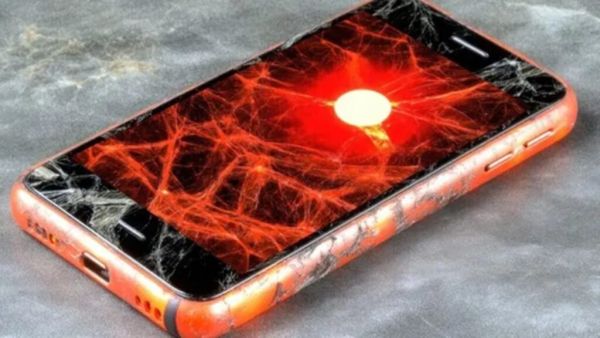
- Is your phone overheating frequently?
- Then fix ‘these’ smart tricks in minutes
- 5G and high refresh rate
Nowadays smartphone They have become an integral part of our life. But phone overheating due to continuous usage is becoming a common problem. Especially when gaming, video editing or using the phone in strong sunlight, the phone heats up quickly. If you too suffer from frequent phone overheating, you can use these smart tricks.
Close AI-based or overloading apps
First, check how the apps in your phone are working. Often, AI-based or heavy-loading apps running in the background slow down the processor. Go to Settings, open the Battery Usage section and immediately close the apps that consume a lot of battery.
Ticket stuck in the waiting list? Confirm Ticket can be obtained through IRCTC’s ‘Opt Option’ feature; Learn the process
5G and high refresh rate
Sometimes it has also been observed that even with 5G and high refresh rate, the phone can heat up quickly. If not needed, switch your device from 5G to 4G and use 60Hz refresh rate instead of 120Hz/144Hz. This will not only reduce the heating problem, but also reduce the battery consumption.
Turn off performance mode
Many new devices these days have thermal management features. Additionally, a special performance mode or game mode is available in the settings. If these modes are on, it can cause your phone to overheat. These features run the phone at full capacity, which can cause it to overheat.
Fast charging
Fast charging can also cause the phone to overheat. Another common mistake is using the phone while charging. So, try not to use the phone while charging. If you have time, turn off fast charging and charge the phone.
Essential tips for smartphones
Battery Life: If your phone’s battery drains quickly overnight, check the hidden settings running in the background.
Speed and Performance: It is a good habit to restart your phone from time to time to keep it running smoothly, as continuous running can slow down your smartphone.
Security and Privacy: Control your location tracking on Google Maps and delete unnecessary data.
Precautions to be taken while charging: Avoid charging your phone in public places like trains or metros, as this can pose a security risk.
Health: Avoid spending too much time in front of the screen to avoid problems like eye and neck pain.
WhatsApp Update: Spam messages will end! A separate folder will be created for business chats, users will benefit from this
-
I'm A Celebrity's Craig Charles claims co-star is 'selling stories' from group chat

-
Meghan Markle's Le Creuset pan is on sale for £100 less - but we've found one for just £49

-
Psychologist spots disturbing cognitive sign in Donald Trump's late night social posts

-
No More Fatigue on 20-Hour Flights! A 'Wellness Zone' Is Being Created Mid-Air—Discover the Features of This Aircraft..

-
Angad Hasija joins Sharad Kelkar in 'Tumm Se Tumm Tak'