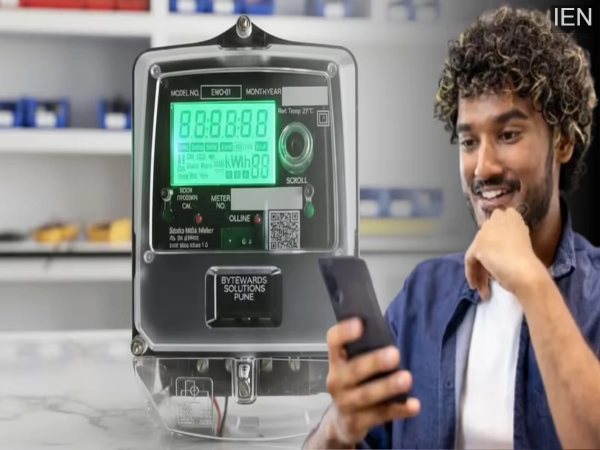
Smart Prepaid Meter: Previously, individuals had to visit the electricity office to link their mobile numbers to their prepaid meters; however, this task can now be accomplished from the comfort of your home in just a few simple steps.
Smart Prepaid Meter: Are you currently trying to link your mobile number to your prepaid meter? Under the ‘Revamped Distribution Sector Scheme’ (RDSS), authorities are actively working on installing smart prepaid electricity meters across various states throughout the country.
One of the most common difficulties people face is the process of linking their prepaid meters. While this previously required a visit to the electricity office, the task can now be completed effortlessly from home. This is possible through both offline and online methods.
Why Is Linking Your Mobile Number Essential?
Linking your smart prepaid meter to your mobile number is crucial because it serves as a vital channel of communication between the electricity department and you. If your number is not linked, you will be unable to track the remaining balance on your meter. Consequently, there remains a constant risk of your electricity supply being disconnected.
Once your mobile number is linked, you will receive an SMS alert whenever your meter balance runs low, allowing you to recharge your account in a timely manner. Furthermore, in several states—such as Bihar and Jharkhand—electricity bills are now being delivered directly to customers via WhatsApp through this system. Another advantage of linking your mobile number is that, even if a meter reader does not visit your home, you will still receive accurate information regarding your electricity consumption and billing details directly on your phone.
How to Update Online
- First, download the official electricity department app—such as ‘Bihar Bijli Smart Meter’ or ‘UPPCL Online’—from the Play Store.
- Next, log in to your account using your Customer ID.
- Now, navigate to the ‘Profile Settings’ or ‘Manage Account’ section.
- Edit and update the mobile number listed there.
- If prompted, enter the One-Time Password (OTP) received on your new mobile number.
- After following these steps, your mobile number will be successfully linked to your prepaid meter.
Please note: The specific steps may vary slightly depending on the particular app you are using. However, you will find the option to update your number within your profile itself.
Via the Electricity Department Portal
Visit the website of your state’s electricity board.
Log in as a Consumer.
Navigate to ‘Manage Profile’, select the ‘Change Mobile Number’ option, and complete the process.
Customer Care
You can also update your number by calling the Electricity Department’s helpline number, such as 1912. For this, you may be required to provide your old mobile number and meter number.
Offline Method
Visit your nearest electricity office (Sub-divisional Office) and submit an application along with a copy of your identity proof—such as an Aadhaar card—and a copy of your electricity bill.
-
Reluctance to feed children in the summer? 5 simple techniques will solve the problem

-
Momos Swarmed By Flies, 20 Liters Colored Chutney Seized In Kanpur Food Safety Raid

-
Watermelon Ice Cream Recipe with 3 Ingredients, Easy Summer Dessert at Home Easy Watermelon Ice Cream Recipe at Home

-
The Candid Talk: Science And Spirituality Must Align Together For Holistic Growth, Says Dr Chinmay Pandya

-
IPL 2026: How did Lungi Ngidi reach the hospital from the field in just 11 minutes? Delhi Police had made this special plan