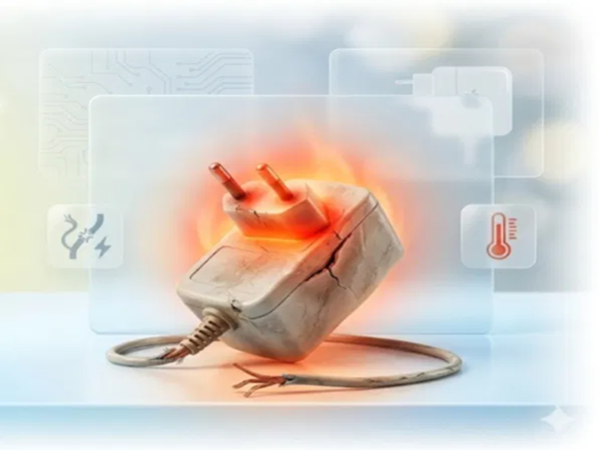
Router Overheating: Continuous, uninterrupted internet has become an integral part of our daily lives. From the moment we wake up in the morning until we go to sleep at night, we rely on the internet. Consequently, we keep our home Wi-Fi routers switched on 24 hours a day. However, following recent reports of AC unit explosions, people have been compelled to wonder: could this device, too, burst into flames?
Can a Wi-Fi Router Explode?
Although it is generally considered a very safe device—and unlike an air conditioner, it does not contain heavy compressors or high-power systems, making the likelihood of a major explosion almost negligible—certain conditions can heighten the risk of fire or electronic failure. These include prolonged overheating of the device, issues with the power supply, or the use of low-quality components.
What’s Inside a Router?
A Wi-Fi router houses various electronic circuits, a processor, network chips, and a power adapter. Due to the constant flow of electricity and continuous operation over extended periods, all these internal components generate heat.
Typically, routers are designed to dissipate this heat effectively; however, if ventilation is inadequate, problems can arise—issues that may eventually escalate into a major safety hazard.
Why Is Overheating the Primary Culprit?
Experts state that overheating lies at the root of most router-related problems. Many users place their routers behind the TV, inside a closed cabinet, in a corner of a room, or stacked on top of other electronic devices. Such placement prevents hot air from escaping, causing the device's internal temperature to rise steadily.
If a router feels unusually hot to the touch, if the internet connection begins to drop frequently, or if you detect a burning smell emanating from the device, these should be treated as warning signs.
Could a Cheap Adapter End Up Costing You Dearly?
Often, when the original power adapter fails, people resort to using generic or low-quality replacements. Using an adapter with incorrect voltage specifications or poor build quality can lead to short circuits and overheating, potentially resulting in serious damage or a fire hazard. Technology experts advise always using the original power adapter and cable provided by the manufacturer. If the cable is cut or loose, or if the adapter is overheating, it should be replaced immediately.
Which Warning Signs Should You Never Ignore?
If you observe any of these signs in your router, have it inspected immediately:
The router is becoming excessively hot.
A burning smell emanates from the device.
Frequent internet disconnections.
The power adapter is becoming extremely hot.
Smoke is emitting from the router.
Abnormal behavior of the LED indicator lights.
These signs could indicate a major technical malfunction.
Simple Ways to Keep Your Router Safe
If you want to ensure both uninterrupted internet service and the safety of your home, start following these practices today:
Place it in an Open Area: Always install your router in an open, dry, and well-ventilated space to ensure proper airflow and ventilation.
Avoid Placing Weight on It: Never make the mistake of placing heavy objects or other items directly on top of the router or in proximity to it.
Use a Surge Protector: To safeguard the device against sudden power fluctuations, always keep it connected to a surge protector.
Protect it from Dust: Dust accumulation in the router's small ventilation vents can block airflow; therefore, clean the device periodically using a dry cloth.
Replace Old Devices: If your router is very old or its power adapter is damaged, do not take any risks; replace it with a new model immediately.
Switch it Off When Leaving: If you are leaving your home for an extended period—whether for a vacation or for work—switch off the router's main power switch as a safety precaution.
Disclaimer: This content has been sourced and edited from Amar Ujala. While we have made modifications for clarity and presentation, the original content belongs to its respective authors and website. We do not claim ownership of the content.
-
BVB withdraws from Kennet Eichhorn transfer talks over steep signing-on fee; FC Bayern still interested

-
Cristiano Ronaldo’s Quest for World Cup Glory: Portugal’s Legend Eyes a Career-Defining 2026 Tournament

-
Quiz! Can you identify every Premier League player nominated for the Ballon d'Or since 2000?

-
All Confirmed Manchester United Transfers in Summer 2026: Arrivals, Departures and Loans

-
Germany’s Possible Lineup for FIFA World Cup 2026 Under Julian Nagelsmann