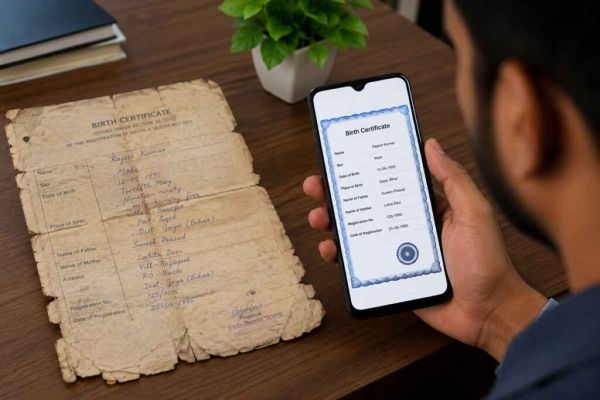
Gone are the days when people had to carry a folder full of important documents for every admission, job interview, bank visit, or government application. Today, secure digital document storage has made it easier to access essential records anytime and anywhere.
Keeping digital copies of important documents not only saves time but also protects you from the stress of losing original papers. Here's why every Indian should consider maintaining a well-organized digital document folder.
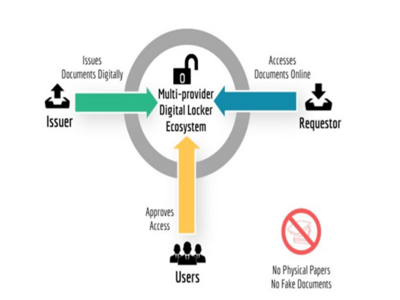
What Is a Digital Document Locker?A digital document locker is a secure online space where you can safely store scanned copies or digitally issued versions of your important documents. Instead of searching through files and folders at home, you can access them whenever needed using your smartphone, tablet, or computer.
Why Digital Documents Are Becoming ImportantMany institutions now accept digital documents for preliminary verification and online applications. Whether you're applying for a scholarship, seeking a new job, opening a bank account, or registering for an examination, digital copies can make the process faster and more convenient.
Documents You Should Store DigitallyEvery individual should maintain digital copies of important documents, including:
- Aadhaar Card
- PAN Card
- Voter ID
- Passport
- Driving Licence
- Birth Certificate
- Educational Certificates
- Bank Passbook (where appropriate)
- Health Insurance Documents
- Property-Related Records
Make sure the scanned copies are clear, complete, and easy to read.
Benefits of Keeping Documents Online 1. Easy Access AnytimeYou can retrieve your documents whenever required without searching through physical files.
2. Protection Against LossIf original documents are misplaced, damaged by water, or affected by fire, your digital copies remain available.
3. Faster Online ApplicationsMost online forms require document uploads. Having digital copies ready helps complete applications quickly.
4. Better OrganizationInstead of keeping papers scattered across different folders, digital storage allows everything to be organized in one place.
5. Useful During EmergenciesIf you need to verify your identity or submit documents urgently while traveling or away from home, digital copies can be extremely helpful.
Best Practices for Digital Document Storage- Use clear, high-quality scans.
- Save documents in PDF format whenever possible.
- Organize files into separate folders such as Identity, Education, Banking, Health, and Property.
- Name files properly for easy identification.
- Keep backup copies in more than one secure location.
Digital convenience should always be balanced with good security practices.
- Protect your accounts with strong passwords.
- Enable two-factor authentication wherever available.
- Never share sensitive documents through unsecured platforms.
- Avoid storing confidential files on public computers.
- Regularly review and update your stored documents.
- Saving blurry or incomplete scans.
- Forgetting to back up important files.
- Using weak passwords.
- Sharing documents without verifying the recipient.
- Keeping outdated versions of documents.
-
Hilton Hotels Nearest to the FIFA World Cup 2026 Stadiums in the USA

-
Aston Villa director clarifies Emi Martinez transfer stance amid Juventus interest in Argentina goalkeeper

-
If it rains, the house is damp, the growth of insects? The solution is hidden in lemon-clove

-
Monsoon Alert: Snakes can be seen around the house during rains, know how to protect yourself and what to keep in mind?

-
Dilapidated handwritten birth certificate? Make it digital in mobile like this