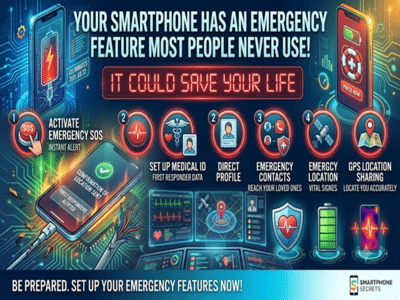
Most people use their smartphones for calling, messaging, taking photos, and browsing the internet. However, modern smartphones also include powerful emergency features that many users never set up. In a medical emergency, road accident, or any dangerous situation, these built-in tools can help first responders and family members reach you more quickly.
One of the most useful features is the Emergency SOS function. Available on most Android phones and iPhones, it allows users to quickly contact emergency services by pressing the power button a specific number of times. Depending on the device, it can also alert your emergency contacts and share your live location automatically, saving valuable time when every second counts.
Another important feature is the Medical Information section found in your phone's emergency settings. Here, you can store details such as your blood group, allergies, existing medical conditions, medications, and emergency contact numbers. In many smartphones, this information can be viewed from the lock screen, allowing medical personnel to access critical information even if they cannot unlock the device.
Many users are also unaware that they can add emergency contacts who can be called directly from the lock screen. If your phone is lost or if you're unable to answer calls during an emergency, these contacts can be reached without requiring your phone's password.
Location sharing is another feature worth enabling. Several smartphones allow trusted family members to view your real-time location during emergencies. This can be especially useful while travelling alone, trekking, or commuting late at night.
Crash Detection is now available on some newer smartphones. Using built-in sensors, these devices can detect serious car accidents and automatically contact emergency services if the user does not respond within a certain period. While this feature is limited to supported devices and regions, it demonstrates how smartphones are becoming valuable safety tools.
It's equally important to keep location services and emergency permissions enabled for these features to work correctly. Disabling them for privacy reasons without understanding their impact may prevent emergency functions from operating when they are needed the most.
Experts also recommend testing your emergency settings after configuring them. Verify that your emergency contacts are correct, your medical information is up to date, and you know how to activate the SOS feature on your specific phone model.
Your smartphone is more than just a communication device—it can also become an important personal safety companion. Spending just a few minutes setting up its emergency features today could make a significant difference if you ever find yourself in an unexpected crisis.
-
The Clubs’ Ledger: Real Madrid’s Windfall, Al-Nassr and Al-Ahli’s Worries, and Barcelona’s Bitter-Sweet World Cup Outcome

-
Kylian Mbappe returns as EA SPORTS FC 27 cover star – Real Madrid and France ace marks comeback to iconic football gaming franchise after four years

-
'Avengers: Doomsday' scores USD 16.5 million mark in advance ticket sales, breaks 'Deadpool & Wolverine' record

-
Game of Thrones star Lena Headey recalls two disturbing encounters with Harvey Weinstein, says he tried to kiss her and force her to his hotel room

-
Leeds United’s Summer Overhaul: 11 Players Out, Two In, and One Big Uncertainty Ahead of New Season