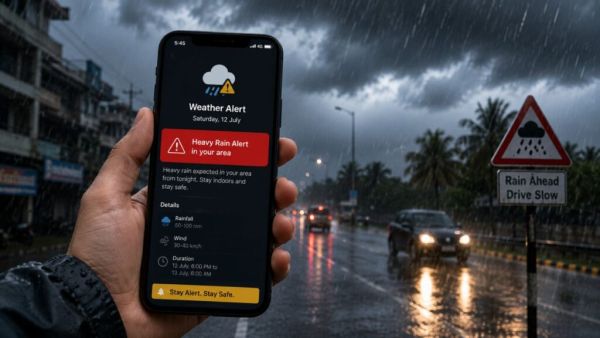
- Weather change alerts can be triggered on Android and iPhone without using a separate app.
- Turning on Severe Weather Alerts and Emergency Alerts provides early warning of rain, storms, and other threats.
- By turning on the right settings, travel and daily tasks can be planned more safely.
The climate is constantly changing. Sometimes heavy rain and sometimes strong wind. These sudden changes in the atmosphere keep us constantly flying. But if you get updates of these changes ahead of time”color: #3366ff;”>phonefrom will get Importantly, there is no need to download any separate app for this.
Truecaller in trouble? TRAI sought special powers from the government; If approved, big action can be taken
iPhone and Android already have a setting that lets you share alerts before the weather changes. This will enable you to plan your work and travel properly. You have to follow some simple steps to turn on this setting in the phone. (Photo Courtesy – AI Created)
Follow android smartphone users this setting
- If you have an Android smartphone, you have to follow a few steps to get weather alerts.
- First of all open the settings in your smartphone.
- Now you will see Safety and Emergency or Safety and Emergency Alert option in some phones, click on it.
- Now you will see options like Severe Weather Alerts, Extreme Threats and Emergency Alerts on the screen, turn them on.
- Now you will be shared alerts about the weather before it changes.
Not only this, Android smartphones also have Google’s weather feature, which keeps you updated on the weather from time to time. Notification alerts are sent to you if the weather changes in your area. For this it is necessary to have location and notification on in the phone. Apart from this, many smartphone companies like Samsung, Xiaomi, OnePlus and Vivo send weather alerts through weather apps in their devices.
Airtel Recharge Plan: Rs 199 or Rs 219? Which recharge plan with 28 days validity will be beneficial? Read the full comparison
Set up alerts in iPhone
- To get weather notifications in iPhone, first open the Weather app.
- After that click on the profile icon in the app and click on the notification option.
- Now turn on severe weather notification for your current location.
- Also, allow location access on the phone by selecting Always or While using the app option for location services and weather apps.
- Now go to phone settings and click on notification and go to pain and turn on app notification.
- After this you will be shared alerts about rain, storm and other weather changes on your device.
-
Sepp Blatter calls for Gianni Infantino’s removal as FIFA president, says World Cup ‘lost its integrity’

-
Emiliano Martínez hints at international retirement after 2026 World Cup heartbreak, saying: 'The pain is beyond words'

-
Inaki Williams praises brother Nico for achieving 'the pinnacle of success' after crucial substitute appearance in Spain’s World Cup triumph

-
Plans Underway for a 64-Team FIFA World Cup—And It Might Arrive Sooner Than Expected

-
Manchester United Target Borussia Dortmund Defender Waldemar Anton: A Smart Move for Carrick?