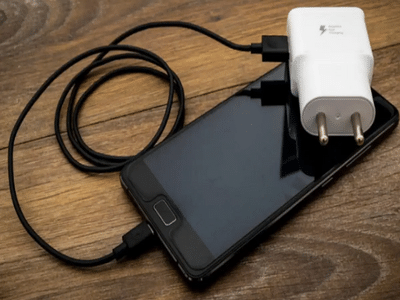
Smartphone Battery Tips: Many smartphone users assume that switching off their device completely stops the battery from losing power. In reality, that's not how modern batteries work. Even when a smartphone is powered off, its battery continues to lose a small amount of charge over time due to natural chemical processes and essential low-power hardware functions.
If you've ever switched on an old phone after leaving it unused for several weeks or months, you've probably noticed that the battery percentage is much lower than when you turned it off. Here's why that happens and what you can do to keep your battery healthy during long-term storage.
Why Does a Switched-Off Phone Still Lose Battery?Turning off your smartphone stops the display, mobile network, internet connection, apps, and most software processes. However, the battery itself does not become completely inactive.
The primary reason behind this gradual battery loss is a natural process known as self-discharge, which affects all lithium-ion batteries.
Self-discharge occurs because small chemical reactions continue inside the battery even when it is not being used. As a result, the battery slowly loses stored energy over time without any user interaction.
Under normal conditions, a powered-off smartphone may lose approximately 1% to 2% of its charge per month, although this can vary depending on the battery's condition, storage environment, and temperature.
High Temperatures Can Speed Up Battery DrainHeat is one of the biggest factors affecting battery health.
If a switched-off phone is stored in a hot environment, the self-discharge process accelerates, causing the battery to lose charge much faster than usual.
Keeping a smartphone in direct sunlight, inside a parked car, or near heat sources for extended periods can also reduce the battery's overall lifespan.
For best results, experts recommend storing smartphones in a cool, dry place away from excessive heat and humidity.
Some Internal Circuits Continue WorkingEven after a smartphone is switched off, a few low-power electronic circuits remain active.
These tiny components perform important functions such as:
- Detecting when the power button is pressed.
- Maintaining the phone's internal clock.
- Preserving essential hardware settings.
- Supporting battery management functions.
Although these circuits consume very little electricity, they still contribute to gradual battery discharge over long periods.
Why Does Battery Drain Faster When the Phone Is Turned On?When a smartphone remains powered on, battery consumption increases significantly because multiple background processes continue running even if the device is not actively being used.
Some of the biggest sources of battery usage include:
- Background applications.
- Mobile network connectivity.
- Wi-Fi and Bluetooth services.
- Notification synchronization.
- Operating system background tasks.
- Automatic app updates and system services.
This is why an unused but switched-on smartphone can lose a considerable amount of battery within a few days, while a powered-off device discharges much more slowly.
How to Store a Smartphone for Several MonthsIf you've upgraded to a new phone and plan to keep your old device unused for an extended period, proper storage can help protect both the battery and the hardware.
Experts generally recommend the following practices:
- Charge the battery to around 40% to 60% before storing the phone.
- Switch the device off completely.
- Store it in a cool, dry location away from moisture and direct sunlight.
- Avoid leaving the battery fully discharged for long periods.
- Recharge the phone every few months if it will remain unused for an extended time.
These simple steps can help reduce battery degradation and improve long-term performance.
Common Battery Myths You Should KnowMany users believe that a switched-off smartphone cannot lose battery power. However, lithium-ion batteries naturally discharge over time regardless of whether the device is on or off.
Another misconception is that storing a phone with a completely empty battery is safe. In reality, allowing the battery to remain deeply discharged for months may make it difficult—or even impossible—to recharge later.
Understanding these facts can help extend the life of your smartphone battery.
Tips to Maintain Better Battery HealthTo maximize your smartphone battery's lifespan, consider these best practices:
- Avoid exposing the device to extreme temperatures.
- Keep the battery between moderate charge levels whenever possible.
- Use original or certified chargers.
- Avoid leaving the battery completely drained for long periods.
- Install software updates that include battery optimization improvements.
- Store unused devices with a partial charge instead of a full or empty battery.
A smartphone's battery does not stop losing power simply because the device is switched off. Natural self-discharge, ongoing chemical reactions inside lithium-ion batteries, and low-power internal circuits all contribute to gradual energy loss over time. While this battery drain is normal, storing your phone correctly and following good charging habits can help preserve battery health and ensure the device remains ready for use even after months of storage.
-
SEDEMAC's Q1 Profit Soars To ₹33 Cr, Revenue Up 43% YoY

-
Harjinder Kaur Shines with Silver at Commonwealth Games 2026

-
Jadumani Mandengbam Secures Semifinal Spot at 2026 Commonwealth Games

-
CWG 2026: Weightlifter Harjinder Kaur bags silver medal for India

-
Japanese chef sets world record in Singapore for largest lava-style omelette using 45 eggs