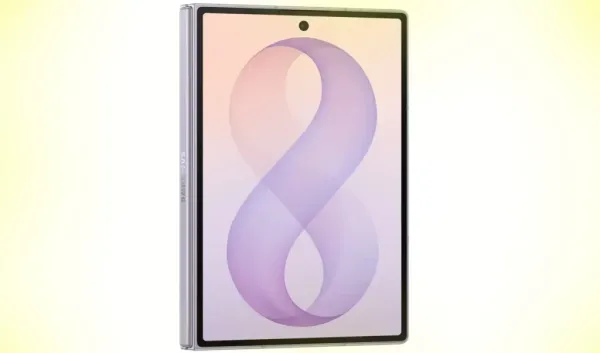
New change in smartphone security
Samsung has further strengthened the security of the smartphone in its latest One UI 9.0 update. This new security mechanism is designed to protect users' personal data from cyber criminals and unauthorized access. However, this can cause problems for those who often forget their phone's lock screen password, PIN or pattern. In such a situation, even a small mistake can cause big problems.
Only 13 wrong attempts to get locked out
As per the new security policy, users will get limited attempts to unlock the lock screen. If consecutively different incorrect passwords or PINs are entered, the lockout time will increase with each failed attempt. If a total of 13 separate incorrect attempts are made, the phone will be permanently locked. After this, the only way to use the device again will be a factory reset, which will erase all local data on the phone.
phone lock time
Samsung has set different time limits after every unsuccessful attempt, so that no unauthorized person can attempt the password again and again.
– 5 wrong attempts – 1 minute lock
– 6th attempt – 5 minutes
– 7th attempt – 15 minutes
– 8th attempt – 30 minutes
– 9th attempt – 90 minutes
– 10th attempt – 4 hours
– 11th attempt – 12 hours
– 12th attempt – 24 hours
– 13th wrong attempt – device permanently locked
The purpose of this system is to prevent techniques like brute-force attacks and to keep the user's personal information safe.
Less hassle due to smart mechanism
Samsung has also made a sensible change in this feature. If a user enters the same incorrect PIN or password repeatedly, the system will not consider it as a separate repeated attempt. This means that a similar wrong entry will be counted only once. The counter will advance only when different incorrect PINs, passwords or patterns are entered. Additionally, as the number of failed attempts increases, the screen will also show how many chances are left.
Measures to keep data secure
In view of the new security policy, it has become extremely important for users to take regular backups. Phone backup can be kept safe with the help of Samsung Cloud or Smart Switch. If a factory reset is ever required, photos, videos, documents and other important files can be easily retrieved from the backup. Also, choose a password that you can easily remember and note it down in a safe place in case you need it.
Security increased, but caution is also necessary
Samsung's new security system takes smartphone security to a new level. This feature may prove effective in preventing cyber attacks and unauthorized access, but users will need to be more vigilant than ever about their passwords and data backups. With proper preparation and regular backups, the benefits of this new system can be availed without any hassle.
-
Carlos Baleba: Manchester United line up medical for latest summer signing after agreeing £70m transfer

-
Arsenal’s move for Ezri Konsa shows what modern football has become: did they really need him?

-
Pahalgam Attack Case: NIA To Send Court Summons To Hafiz Saeed Through MEA

-
The envelope was pierced with a needle without opening it, the exam paper was recorded with a mobile camera and leaked.

-
Symptoms are similar, but the disease is different! What is the difference between H1N1, H3N2 and dengue? who together are creating terror in Delhi