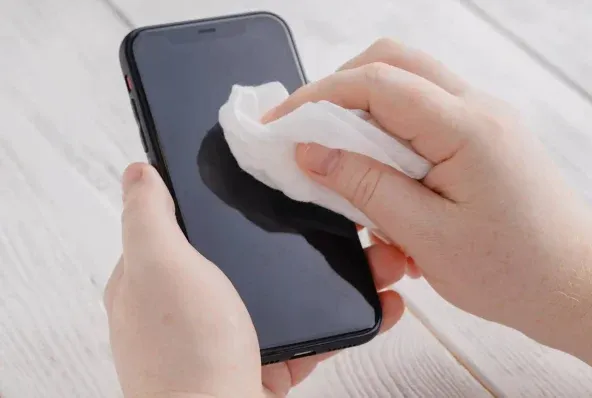
Smartphone cleaning tips: In today’s digital age, smartphones have become the most important part of our daily routine. The phone stays in our hands all day long. We take it out, use it while eating and often accidentally touch the phone with dirty hands. In such a case, dust and dirt gradually accumulates in the screen, camera lens and charging port of the phone. So keeping the smartphone clean is very important not only to make it shine but also to keep it working properly for a long time.
Keep these things in mind before cleaning the phone
-
Turn off the phone: Before cleaning the phone, switch it off and remove the charger if it is charging.
-
Use a microfiber cloth: Always use a soft microfiber cloth for cleaning. This makes the screen and back panel easy to clean without getting scratched.
-
Do not spray directly: Avoid wetting the clothes too much and avoid spraying any kind of liquid directly on the phone.
Here’s how to remove dirt and stains from the screen
Fingerprints and oil accumulate on the phone screen very quickly. If it is not cleaned regularly, the screen can appear dull and sometimes the touch response can suffer. To clean the screen, wipe it gently with a microfiber cloth.
Cleaning the camera lens
Dust or fingerprints on the camera lens can degrade the quality of photos and videos. Clean the camera glass very gently with a microfiber cloth. Do not use any sharp or unsharp object here even by mistake.
Do not insert foreign objects into the charging port
Carrying it in a pocket or bag causes small dust particles to accumulate in the charging port, causing the charging cable to not connect evenly.
-
What not to do: Do not attempt to clean the port by inserting pins, needles, stitches, or any sharp metal objects. This can damage the charging pins inside.
Speaker and microphone cleaning
Dust also accumulates in the mesh of the speaker and microphone. Apply gentle pressure with a cloth while cleaning it. The dirt accumulated around the edges and buttons of the phone can also be cleaned with a cloth.
Do not use chemicals or excess water
Never use harsh chemicals, perfumes, sanitizers or excess water to clean the phone. These things can damage the oleophobic coating on the smartphone screen.
How often should cleaning be done?
If you use the smartphone more than daily, make sure to do a light cleaning every 2-3 days. Always keep clean especially the screen, camera and the parts of the phone that you touch the most.
-
You May Be Taking Isabgol Wrong. These 4 Combinations Serve Different Purposes

-
India vs Afghanistan T20Is to Feature FIFA World Cup-Style Broadcast Technology

-
FIH Women’s World Cup: India advance to Phase 2 after goalless draw with England

-
First the visit of Ramallah, then Sehwag changed his name! Know the reason behind this?

-
Strict action on government sugar hoarding! Wholesale customers are now allowed to keep only 15 days of stock