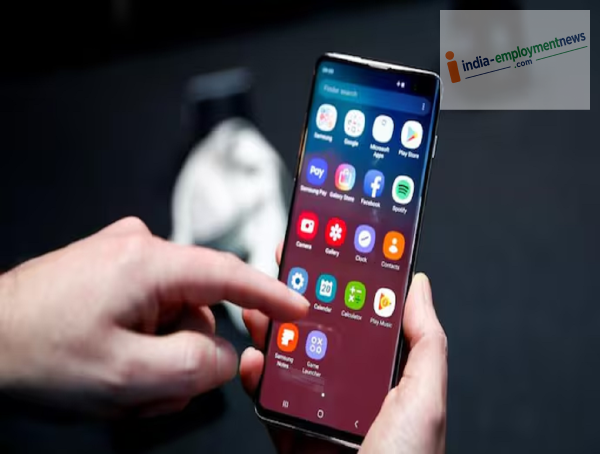
Restarting your phone after an update allows new software changes to be implemented correctly. However, it isn't mandatory after every update. Let’s find out when restarting is beneficial.
Smartphones frequently receive software updates. Through these updates, companies introduce new features, patch security vulnerabilities, and aim to improve overall performance. But after installing an update, a common question arises: is it necessary to restart the phone? Let’s understand the benefits of restarting after an update and the situations where it is recommended.
Restarting isn't necessary after every update
First, it is important to understand that manually restarting your phone after every software update isn't always required. Most modern Android and iPhone updates complete the necessary system processes during the installation itself.
Often, the phone restarts automatically after the update is installed. In such cases, there is no need to manually turn the phone off and on again.
So, why is restarting recommended?
The main benefit of restarting after an update is that the phone's system loads afresh with the new software. This can terminate old background processes and ensure system components restart correctly. If you notice minor issues with your phone after an update, restarting is considered a simple and effective solution.
Restart in these situations
If your phone isn't performing as well as it used to after an update, restarting it can be helpful.
The phone feels slow or is lagging.
An app keeps crashing repeatedly.
There are issues with Wi-Fi or Bluetooth connectivity.
Notifications aren't arriving on time.
You notice sudden, unusual changes in battery life or performance.
A new feature has stopped working.
If you encounter such issues after an update, restarting can help resolve these system glitches. Beneficial for Major System Updates
If you have installed only a small security patch or a minor update, a separate restart is usually not required. However, restarting the phone after installing a major Android or iOS version update can be beneficial—especially if the phone did not restart automatically.
Major updates involve changes to various parts of the system. Initiating a fresh system session helps ensure that all necessary processes load correctly.
Will restarting make the phone faster?
Not necessarily. Restarting is not a magic fix that guarantees the phone will always run faster after an update. However, if the issue stems from a system process, a stuck app, or a background service, restarting can help the phone return to normal operation.
-
Subhash Ghai reveals why he and Salman Khan once got into a physical fight

-
Life Gets So Much Better For 4 Chinese Zodiac Signs After Monday, August 31, 2026

-
The flight of India's daughters is reaching from earth to space: PM Modi

-
Meta to Introduce Night Curfews and Time Limits for Teen Users

-
How To Fix 7 Of The Most Common Problems With Waze