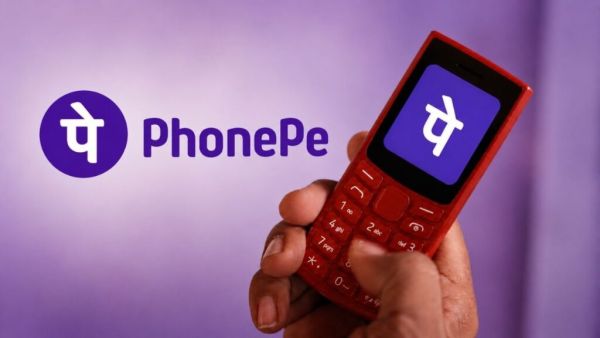
Now smartphone and internet connection will not be necessary to make payment through UPI. Digital payment company PhonePe has launched UPI 123Pay service for feature phone users. According to the company, with this facility, more than 20 crore feature phone users of India will be able to send and receive money through UPI without internet. This feature can be especially useful for people in areas where internet connectivity is still weak.
UPI 123Pay facility will be available in some feature phones of Nokia, HMD, Lava International and itel. The company is also preparing to partner with other mobile manufacturers in the future. PhonePe says that the aim of this initiative is to provide the facility of digital payment even to the people using feature phones.
How will payment be done without internet?
UPI 123Pay will work on SMS based technology instead of mobile data. This means that people will be able to use it even in areas with weak or limited 2G network. Users will be able to send money to anyone through mobile number or UPI ID. At the same time, the facility to make payment through UPI ID or QR code will also be available at the shops. Apart from this, bank account balance and previous transaction information can also be viewed from the feature phone. The company is also planning to add the facility of bill payment, mobile recharge and registration on UPI through Aadhaar in future.
PhonePe has also launched an AI based voice helpline to help new users. This helpline will help users activate UPI through conversation and answer common questions. This facility will be available in 12 Indian languages apart from English.
How to activate UPI 123Pay?
You will have to first accept the terms and conditions by opening the PhonePe app present in the feature phone. After this select the bank and enter the last six digits and expiry date of the debit card. Then set your UPI PIN. The UPI ID will become active as soon as the PIN is created.
For payment, select Mobile Number or Pay to UPI option in the app and enter the recipient's mobile number or UPI ID. Payment can also be done by scanning QR code in feature phones with camera. After entering the amount, enter the UPI PIN and press OK. If the payment is successful, confirmation will appear on the screen.
-
The Jens Wissing era: Al-Ittihad’s new tiger is ready to strike

-
The childhoods of China’s first two Fields Medal winners

-
Will the blue flowers of Aparajita make your skin glow? Make face mask like this, know the benefits and precautions

-
Daily Tarot Horoscopes For Tuesday, September 1, 2026

-
Volvo Built A Lag-Free Turbocharger, So Why Don’t Any Modern Cars Use It?