

pc: amarujala
Every day, millions of people use WhatsApp as a major platform for multimedia communication. Users share countless photos and videos, but sometimes people want to write stylish text messages on WhatsApp. Although WhatsApp does not have such advanced text editing features, there is a way by which you can send someone a great message with a stylish font. Let's find out how.
Send stylish messages with the help of a font keyboard:
Start by downloading the “Stylish Text – Font Keyboard” app from the Google Play Store on your Android phone.
Accept its terms, but do not grant accessibility permissions. Skip it.
Go to Keyboard Settings, navigate to "Enable Keyboard" and enable the Stylish Text Keyboard option.
Activate it once again.
Open WhatsApp and enter any chat.
Type your message. You will see an icon below the keyboard.
Tap on Stylish Text Keyboard to choose it.
Your work is done! Now, you can send messages with stylish fonts on WhatsApp and even use fancy fonts.
-
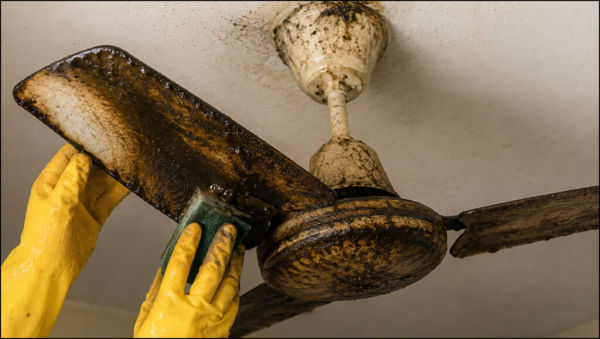
The kitchen fan is oily. Follow these simple steps to clean it and it will shine like new.
-
Amid heavy rains, the risk of waterborne diseases has increased; NCDC has issued an advisory regarding stomach flu.

-
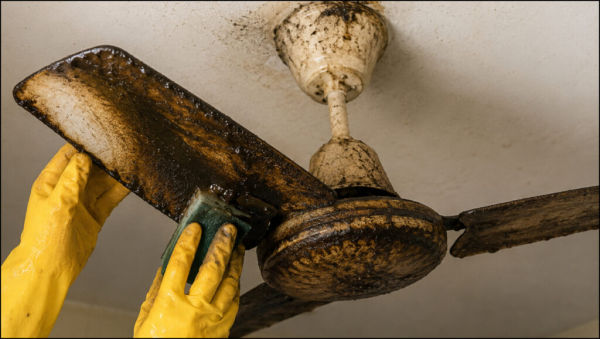
The kitchen fan is oily. Follow these simple steps to clean it and it will shine like new.
-
Amid heavy rains, the risk of waterborne diseases has increased; NCDC has issued an advisory regarding stomach flu.

-
A 72-year-old man in China cut off a cobra’s head and picked it up five minutes later; it bit his palm, and doctors spent two months saving his hand