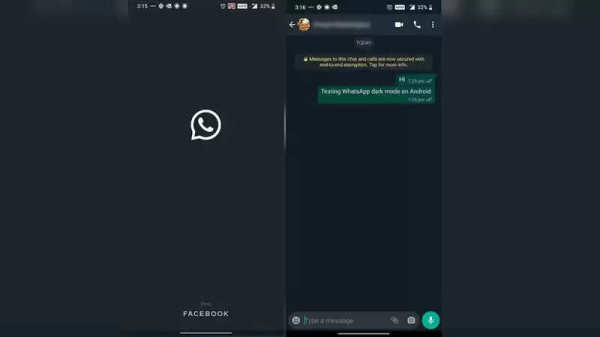
WhatsApp Dark Mode will give users the option to change the theme of the app, which will reduce the impact on the eyes. This mode will prove to be more helpful, especially in low-light environments. Here we are telling you how to activate and use WhatsApp Dark Mode.
WhatsApp Dark Mode: How to enable it on Android
First of all, go to Google Play Store and download and install the latest version of WhatsApp. After installing, tap on the three dots go to the menu icon, and select Settings. After this, tap on Chats and then go to Chat Settings. Now tap on Theme, here you have to choose the theme of the app. Tap on 'Dark' for dark mode and now you are ready to use WhatsApp Dark Mode.
When you tap on Theme, you can also get the system default option. This automatically changes the theme to light and dark mode.
WhatsApp Dark Mode: How to enable it on iPhone
The manual method is not available for iOS 13 users. At the same time, users who do not have iOS 13 cannot use WhatsApp dark mode.
To get dark mode on your iPhone, go to the App Store. Now download the latest version of WhatsApp (2.20.30). Then go to Settings and tap on the Display and Brightness option. Now tap on Dark to enable the system. Alternatively, you can go to the Control Center and then tap on Dark Mode.
Follow our Whatsapp Channel for latest update
https://whatsapp.com/channel/0029VaBgLMfGU3BO99EQv62t
-
Radek Vitek eager to depart Manchester United for regular starting role at Celtic

-
When will the next World Cup take place? Dates and host nations revealed

-
Aina Raises $5.5 Mn From Info Edge, Others To Build AI Hardware Interface

-
Avanse Financial Services Introduces Avanse EduSure & Avanse EduSure+

-
Inside Cosmos Diamonds' Bootstrapped Push Into India's Lab-Grown Jewellery Market