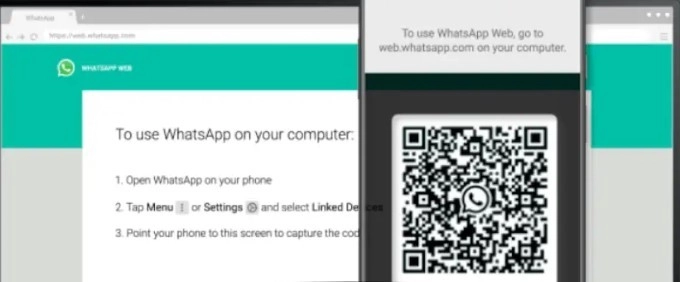
A little warning has come for Whatsapp users. According to this, those who use Whatsapp web on laptop should be a little cautious. This is because you may have to suffer a huge loss due to just one mistake. The most important thing in this is that it also violates the privacy of the users. In this way, we are telling you that you can use Whatsapp web easily and securely, which will not affect your private chat.
Whatsapp privacy extension
The option of privacy extension is given by WhatsApp. You can turn it on by going to Google Chrome. Because it will prove to be a very good option for you. In this, you can hide chats. That is, after going into it, none of your chats will be visible. For this, you can read any chat by going directly to the contact. This feature has been brought for those users who mostly use WhatsApp on laptops.
How to turn on Whatsapp privacy extension
To turn on this feature on WhatsApp , you have to go to Google and then go to the option of privacy extension. After going here, install it. After this, you will see many options in front of you. One of these options is also such in which you can select how many chats you want to hide.
That's why Whatsapp privacy extension feature was introduced
The purpose behind bringing this feature was to provide privacy to the users. Because earlier this was not possible. Earlier, as soon as the users opened WhatsApp on the desktop screen, everything became visible. But this was done with the aim of changing it. Once you turn on this feature, you will not face any problem because during chatting no one will know about your private chats.
-
Ram Charan's Peddi Arrives On OTT; Here's The Latest Update On Hindi Release

-
Crude Prices Fall, But Markets Stay Alert As Iran Warns On Strait Of Hormuz

-
Ram Temple Row: Sources Say Champat Rai, Anil Mishra, Gopal Rao's ID Cards Blocked; VIP Pass Powers Revoked
-
Apple Seals Landmark $30 Billion Broadcom Deal To Expand US Semiconductor Manufacturing Through 2031

-
FPJ Hosts 3rd Edition Of BMC Schools Toppers’ Awards, Felicitates 28 Outstanding Students