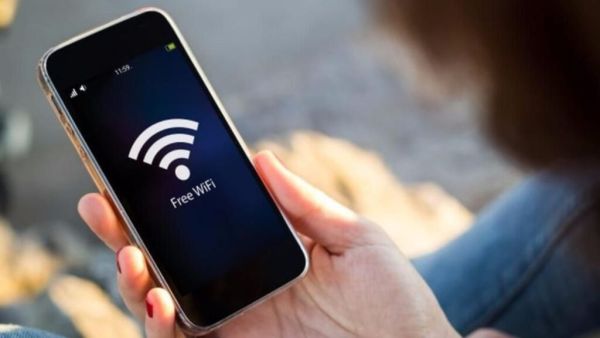
- Keep Wi-Fi always on?
- This habit can be a big danger for you!
- Leaving Wi-Fi on puts not only battery but also privacy at risk
The first thing you do when you pick up a smartphone WiFi turns on Sometimes we forget to turn off the WiFi in the smartphone. So the WiFi in your smartphone is always on and your phone is always searching for WiFi. Are you also in the habit of keeping your smartphone’s WiFi on all the time? If yes, be careful in time. Because this habit of yours is very dangerous for your smartphone.
Google will be a savior in an emergency! Emergency location service launched in India, users will get such help
If you forget to turn off your smartphone’s WiFi while leaving home, your phone may connect to an unknown and dangerous network. This allows passwords, banking details, and even sensitive information to reach hackers. Several researches have also revealed that smartphones that constantly scan networks fall prey to fake cyber attacks like fake networks or man-in-the-middle. So it is very important to make sure that your smartphone’s WiFi is turned off while leaving the house. Because it is only because of our small habits that the security of our smartphone remains. (Photo Courtesy – Pinterest)
The biggest risk is leaving Wi-Fi on all the time
The auto-connection feature is very dangerous for those who keep WiFi on outdoors. This feature connects your smartphone to Wi-Fi available at airports, railway stations, cafes, public places. These Wi-Fi networks require no encryption. That means here your smartphone can be hacked very easily. If your smartphone is connected to such a WiFi network, your passwords, banking details, messages, everything can be compromised.
Hackers often use fake networks like airport free Wi-Fi or cafe guest networks to trick people. Such networks have no password so phones connect to these networks instantly. If your phone connects to such a network, all your information can be exposed to hackers and this allows hackers to track your activities and even steal your login information.
‘Prove DNA and get wealth of crores’… Telegram founder Pavel Durov makes a strange announcement, social media is in a frenzy
In order to increase the security of your smartphone and keep your data safe, you need to change some habits. Make sure your smartphone’s Wi-Fi is turned off when leaving home. Don’t do any transactions on public WiFi. Avoid connecting your smartphone to public Wi-Fi available in stations, airports, cafes. Disable your smartphone’s auto-connect feature for unknown networks. Delete the old WiFi network from the smartphone. Use smartphone internet data or VPN to perform banking transactions. WiFi is a very important part of enhancing the security of your smartphone and keeping your information safe.
-
Michael Mosley's simple method to lose 1 stone in 12 weeks - no diet

-
HM Amit Shah praises security agencies investigating Red Fort blast case

-
ITV Lorraine 'so excited' as she shares huge career news

-
Mum gets £455 Christmas food shop for just £14 in Tesco, but people are divided

-
Fury as royal fan makes 'Granny Diana' comment to Prince George