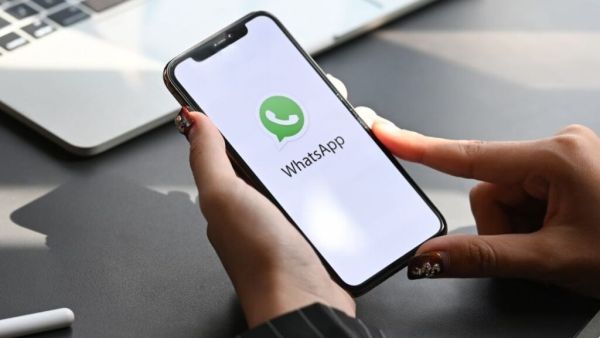
- After November 30, WhatsApp will require an iPhone with at least iOS 15.5 or later.
- iPhone 5s, iPhone 6, iPhone 6s, iPhone SE (1st gen), iPhone 7 and iPhone 7 Plus users will have to update their devices.
- Users are advised to install the available iOS update before November 30 to continue WhatsApp support.
WhatsApp For iPhone: Are you also using an older iPhone model”color: #3366ff;”> Connect as soon as the case is opened! Lenovo Launches New Earbuds With Long Battery Life… Know Price
The company gave time till November 30
Now iPhone users, after November 30th will need new iOS version on iPhone to use WhatsApp and WhatsApp will no longer work on older iOS version. So if you are using an old iPhone, the company has given you time till November 30 to update your device. Earlier, the company had decided to end WhatsApp support for versions older than iOS 15.1. This ended their compatibility with iPhone 5s, iPhone 6 and iPhone 6 Plus. (Photo Courtesy – Pinterest)
No need to replace iPhone just update
WhatsApp support on older operating systems is discontinued from time to time to bring new features and protect against cybercrime. But the company will not do this this time. All the devices that are currently running on iOS 15.1 version can be updated to iOS 15.5 version. This means that older iPhone users only need to update their iPhone and not replace it to continue using WhatsApp.
Which iPhone models will be affected?
This decision of the company will affect the users using iPhone 5s, iPhone 6, iPhone 6s, iPhone 6s Plus, iPhone SE (1st Gen), iPhone 7 and iPhone 7 Plus. If users are using older iOS version in these iPhone models then they have to update to iOS 15.8.8 version. After this update, users will not face any problem while using WhatsApp on their iPhone. But this work has to be done as soon as possible. Because the company has given time till November 30 for this.
5200mAh battery and 200MP camera… The new Moto G Max 5G made everyone go crazy! This is the price of the smartphone
Follow these steps to update iPhone
Just like any other smartphone, updating the iPhone is also very easy. When a new update is available in the iPhone, the iPhone itself informs the users by sending a notification about it. If you want to manually update your iPhone, go to Settings and open the General section. In this select software update option. Now your screen will show update available for iPhone, install it. To take advantage of the latest features in the iPhone and stay safe from cyber threats, experts recommend keeping the software and apps always updated.
-
Bradley Barcola seeks PSG exit as Arsenal and Liverpool show keen interest; French champions eye Barcelona’s Ferran Torres as potential replacement

-
Yaya Toure takes charge as Slovan Bratislava head coach, promises ‘a unique approach’ after observing clash with Man City in Champions League
-
Who Will Officiate the Qatar vs Switzerland World Cup Match?

-
Michel Salgado compares Lamine Yamal’s fearless flair to Lionel Messi, calling him a ‘one-on-three’ talent from another galaxy

-
Michel Salgado Compares Lamine Yamal to Lionel Messi Ahead of World Cup