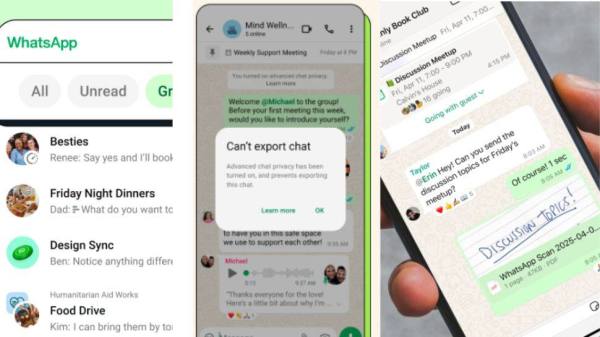
Smartphones to lose whatsapp support in 2025: Beware! Whatsapp will stop working on certain iphones and android devices as part of its routine software update cycle starting Sunday, June 1, 2025. If you or someone you or some using an oolder model, High time to double-check compatibility. The update, Originally scheduled for may 5, was delayed by a few weeks to give users more time to prepara.
To continue using whatsapp, iphones must now be running iOS 15.1 or later, and android devices must be on Android 5.1 or Newer. This change is part of meta’s regular update cycle, as Whatsapp Raises Its Minimum System Requirements. Let’s have a Quick on the list of iPhones and android that will no longer support the meta-outsapp platform, as it ends support for outdated devices starting June 1, 2025.
Complete list of smartphones that will lose whatsapp support in 2025
| iphones | Android phones |
|---|---|
| iPhone 5s | Samsung Galaxy S4 |
| iPhone 6 | Samsung Galaxy Note 3 |
| iPhone 6 Plus | Sony Xperia Z1 |
| iPhone 6s | Lg g2 |
| iPhone 6s Plus | Huawei Ascend P6 |
| iPhone SE (1st Generation) | Moto G (1st Gen) |
| Moto E (2014) | |
| Motorola razr hd | |
| Htc one x | |
| Samsung Galaxy S3 |
What should users do if your smartphone fall in the list
Update iOS (If Possible)
If you have an iPhone 6s, 6s plus, or se (1st gen), update to iOS 15.8.4 by navigating to settings> General> Software Update. This ensures your device remains compatible with whatsapp.
Upgrade your device
To keep using whatsapp, upgrade to a smartphone running iOS 15.1 or Later, or Android 5.1 or Newer. Affordable options include the iPhone se (2nd or 3rd gen) and many mid-run android phones.
Switch to Alternative Messaging Apps
If your device can’t be upgraded, try alternatives like telegram or signal. These apps might still support older phones, thought their user communities are smaller. Check the app store to confirm device compatibility.
Backup your chats:
Before losing access, back up whatsapp chats to avoid data loss. On iPhone, use iCloud; On Android, Use Google Drive. Go to whatsapp settings> chats> chat backup to securely save your conversations.
Adding further, whatsapp is taking this step to enhance user security. The platform is introducing modern features such as advanced end-end encryption, video calling, and improved user interface options, which Older versions cannot support.
-
Owner of 2 iconic seaside town piers sees firm collapse

-
BBC icon chokes up during touching Scott Hastings tribute live on air

-
UK's biggest car park company in administration - but up to 100,000 drivers face fines

-
Conan the Barbarian star dies months before huge milestone as fans devastated

-
Rainbow Six Siege Y11S2 patch notes include Calypso map, XK23 weapon and more