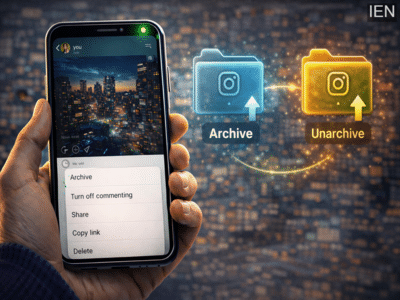
Social media platforms regularly introduce tools that help users manage their content more efficiently. One such useful feature available on Instagram is the Archive option, which allows users to hide posts from their profile without permanently deleting them.
When you share photos or videos on Instagram, they automatically appear on your profile grid so your followers can view them. However, there may be times when you want to remove a post from public view while still keeping it saved for later. In such cases, the archive feature becomes very useful.
With this feature, users can temporarily hide a post from their profile while keeping the content, likes, and comments intact. If you ever want the post to appear again, you can simply unarchive it, and it will return to its original place on your profile.
What Does the Instagram Archive Feature Do?The archive feature allows users to move posts from their public profile into a private archive folder. Archived posts are only visible to the account owner and remain hidden from followers and other users.
The best part about archiving is that the content is not deleted. Instead, it is safely stored in your archive, where it can be restored at any time.
This feature is especially helpful when:
-
You want to clean up your profile without deleting posts
-
You want to temporarily hide older content
-
You want to reorganize your Instagram feed
-
You are planning to reintroduce posts later
If you want to hide a photo or video from your Instagram profile without deleting it, follow these steps:
Step 1: Open InstagramLaunch the Instagram app on your smartphone.
Step 2: Go to Your ProfileTap your profile icon located at the bottom-right corner of the screen.
Step 3: Select the PostOpen the photo or video that you want to archive.
Step 4: Tap the Three-Dot MenuTap the three-dot icon located at the top-right corner of the post.
Step 5: Choose ArchiveSelect the Archive option from the menu.
Once you do this, the post will immediately disappear from your profile but will remain stored in your archive folder.
How to Unarchive Instagram PostsIf you decide to make the archived post visible again on your profile, you can easily restore it using the unarchive option.
Step 1: Open InstagramLaunch the Instagram app on your phone.
Step 2: Go to Your ProfileTap your profile icon.
Step 3: Open the MenuTap the three horizontal lines located in the top-right corner of the screen.
Step 4: Select ArchiveChoose the Archive option from the menu.
Step 5: Choose PostsFrom the drop-down menu at the top, select Posts Archive.
Step 6: Select the Archived PostFind the post that you want to restore.
Step 7: Tap the Three-Dot MenuTap the three-dot icon on the post.
Step 8: Tap UnarchiveSelect Unarchive.
Once restored, the post will reappear on your profile exactly where it was originally posted.
Important Things to Remember-
Archived posts are visible only to you.
-
When you unarchive a post, it returns to the same position on your profile as before.
-
Likes and comments remain unchanged even after archiving and restoring the post.
The archive feature on Instagram provides a convenient way to manage your profile without permanently deleting your content. Whether you want to refresh your feed, hide older posts, or reorganize your profile layout, archiving allows you to do so while keeping your posts safely stored.
If you change your mind later, you can quickly unarchive the post and make it visible to your followers again.
-
Rising Tensions in the Middle East Following Oil Tanker Attack

-
Daylight Robbery Leads to Tragic Death of Woman in Urai

-
KKR launch quirky “Lines of Legacy” campaign to unveil 2026 jersey

-
Gujarat Government Prioritizes Youth Skill Development and Worker Welfare

-
Himachal Pradesh's Upcoming Budget Focuses on Self-Reliance and Welfare