- Big change in Google Messages! Now share live location from chat
- Good news for Android users; Google has introduced a new security feature in Messages
- Live Tracking Now in Google Messages; Sharing location with friends and family made easy
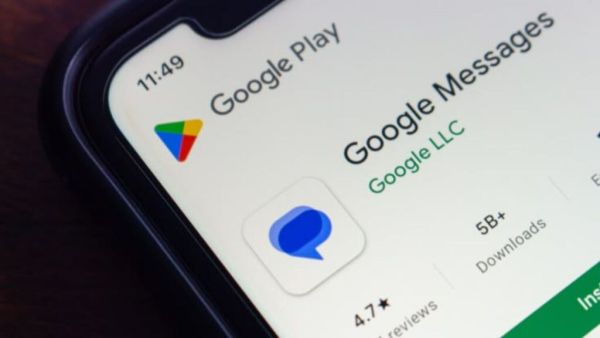
Tech company Google’s A new feature has been rolled out for proprietary text messaging application Google Messages. This feature has been rolled out for Android users. The company has rolled out real time location sharing feature for Android users. With the help of this feature, users will be able to share their live location with friends and family. This feature has been launched with the view of increasing the security of the users. Now let’s know in detail about what exactly this feature is, which users will benefit from this feature and how this feature can be used.
BSNL Recharge Plan: Entertainment will be smarter! Subscription to this platform with Zee5 will be available in the new plan, this is the price
Real time location sharing feature
Until now, users had to send a link to Google Maps to share location in Google Messages. In this, users could see the location only once. But now after the release of the new update, users will get the facility to share location with live movement tracking. In this feature, users can decide for how long they want to share their location. It offers options such as one hour, today, until you turn yourself off, or custom. However, the maximum sharing period is limited to 24 hours. (Photo Courtesy – Pinterest)
New feature available here
After updating Google Messages, you will see a small green icon in the Place menu in the chat. This is called Real Time Location. Along with real-time location, the one-time location feature that was previously available in Google Messages will also continue. When the user taps on the new option, a live map opens on the screen. Users will also be able to expand this map to full screen. At the bottom you will see a card, where you can see who you are sharing the location with and for how long.
Central government’s big decision! ‘Device ID’ used in Digital Arrest to be blocked, ‘This’ instruction given to WhatsApp
Follow these steps to share live location
- The process of sharing live location in Google Messages is very simple.
- First, open Google Messages and open the chat of the person with whom you want to share the location.
- Now tap on Attachment Atcon and select Real Time Location option.
- You may need to accept Google’s location permissions when using for the first time.
- After that select the duration for which you want to share the location and send.
- After sending the message, the other user will get a ‘View my real-time location’ link, by clicking on which he will be able to track your live movement.
-
A unique initiative for the environment! Woman made river her life partner

-
This Viral Coconut Coffee Blends Electrolytes In For A Summer Fitness Upgrade

-
On which day will Ram Navami be celebrated in Ayodhya? Know the most accurate date and other information here

-
iQOO Neo 11 Pro series soon to enter: 8000mAh+ battery with 3D fingerprint, 2K display, details leaked
-
Phone is overheating in summer – these 7 tips will give immediate relief