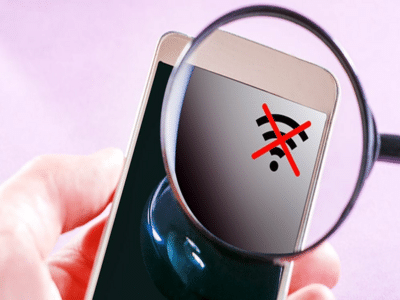
A slow Wi-Fi connection can be frustrating, especially when you're attending video calls, streaming movies, or gaming online. While many people immediately blame their internet provider, the real problem is often inside the house. With a few simple changes, you can significantly improve your Wi-Fi speed without spending any money.
1. Place Your Router in the Right LocationThe position of your router matters more than you think.
For the best signal:
-
Keep it in a central location.
-
Place it on a table or shelf instead of the floor.
-
Avoid keeping it inside cabinets or behind furniture.
An open space allows Wi-Fi signals to travel more efficiently throughout your home.
2. Restart Your Router Once Every WeekRouters also need a break.
Restarting your router once a week clears temporary errors, refreshes the connection, and often improves internet speed and stability.
3. Switch to the 5GHz Wi-Fi BandIf your router supports dual-band Wi-Fi, connect compatible devices to the 5GHz network.
-
2.4GHz: Better range but slower speeds.
-
5GHz: Faster speeds but works best at shorter distances.
Use 5GHz when you're close to the router.
4. Change the Wi-Fi ChannelIf many nearby homes use the same Wi-Fi channel, your network may experience interference.
Most modern routers can automatically select the least crowded channel, or you can change it manually through the router settings.
5. Disconnect Devices You're Not UsingEvery connected device shares your internet bandwidth.
Smart TVs, old phones, tablets, security cameras, and smart home devices may continue using the network even when idle. Disconnect devices that aren't currently needed.
6. Update Your Router's FirmwareManufacturers regularly release firmware updates that improve security, fix bugs, and enhance performance.
Checking for updates every few months can help keep your router running smoothly.
7. Secure Your Wi-Fi NetworkIf your Wi-Fi password is weak, neighbors or unauthorized users may be using your internet without your knowledge.
For better security:
-
Use a strong password.
-
Enable WPA2 or WPA3 encryption.
-
Change the default router password.
A secure network is often a faster network.
8. Check Which Apps Are Using the Most InternetLarge downloads, cloud backups, software updates, and video streaming can consume most of your available bandwidth.
Pause these activities if you're experiencing slow speeds during important work or online meetings.
Bonus Tip: Know When It's Time to UpgradeIf your router is more than five or six years old, it may not support the latest Wi-Fi technologies. Upgrading to a modern Wi-Fi 6 or Wi-Fi 6E router can improve speed, coverage, and performance, especially in homes with many connected devices.
The Bottom LineBefore blaming your internet provider, check your router placement, connected devices, and network settings. These simple adjustments can dramatically improve your Wi-Fi performance and help you enjoy faster browsing, smoother streaming, and fewer connection issues without spending extra money.
-
UPSSSC ASO Answer Key 2026: Provisional answer key for the ASO/ARO Main Exam released..

-
UPSSSC FSL Recruitment 2026: Applications have started for recruitment to bumper posts in Forensic Science Lab..

-
UP Police Bharti 2026: Even after passing the police constable exam, you will not be able to get recruited if there is a mistake here..

-
UPSSSC Vacancy 2026: Applications open for 208 posts in Forensic Science Laboratories in UP..

-
UP PCS 2026: Application deadline for the UP PCS Preliminary Exam extended; registration now open until August 3..