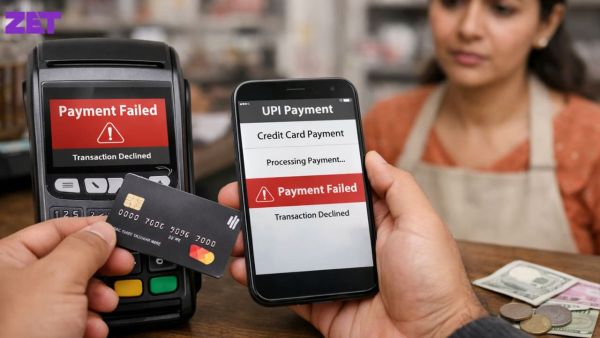
UPI makes credit card bill payments in India quick and fee-free. Pay via UPI apps, Bharat BillPay or the card’s VPA. Check details before using your PIN. Failed payments may result from wrong VPAs, limits or server issues.
UPI has become the default method for Credit Card Bill Payment in India. It clears in seconds, carries zero transaction fees, works across every major issuer, and does not require beneficiary registration. But UPI-based online bill payment also fails in specific, predictable ways: the wrong VPA, exceeded transaction limits, delayed reflection, or payment credited to the wrong card.
This guide covers the correct process and the most common errors that trip up cardholders.
How Do You Pay a Credit Card Bill Through UPI Step-by-Step?
Paying a credit card bill through UPI takes four steps, whether you use Stashfin, BHIM, Google Pay, PhonePe, Paytm, or your bank's UPI app.
- Open any UPI app such as Stashfin and select the "Pay Bills" or "Send Money" option
- Choose the payment route: Bharat BillPay (BBPS) for aggregated bill payment across issuers, or "Pay to UPI ID" if you have the card's dedicated VPA
- Enter the card details; for BBPS, select the card issuer and enter the 16-digit card number. For direct UPI payment, enter the VPA printed on your statement (formats like 1234567890@axisbank or hdfccard.1234@hdfcbank)
- Enter the amount, review, and confirm with your UPI PIN
Settlement happens in seconds. Confirmation lands in the UPI app immediately, and the card issuer typically updates the outstanding balance on the mobile app or netbanking dashboard within 5 to 30 minutes.
For very large payments above ₹1,00,000, some UPI apps require splitting the payment into multiple transactions because NPCI's standard per-transaction UPI limit is ₹1,00,000. Credit card bill payments have a higher NPCI cap than standard UPI transfers, but implementation varies by bank and app version.
What Is a UPI Link and How Does It Work for Credit Card Bill Payment?
A UPI Link (technically a UPI intent link) is a specially formatted URL that opens your UPI app pre-filled with payment details, the recipient VPA, the amount, and a reference note. Card issuers and bill payment aggregators send these links in email statements and SMS reminders so cardholders can pay in one tap without typing anything.
A typical UPI Link in an email or SMS looks like this:
upi://pay?pa=hdfccard.1234@hdfcbank&am=15000&tn=CCBillPay
Tapping the link opens your default UPI app, auto-fills ₹15,000 as the amount to the correct HDFC card VPA, and asks only for the UPI PIN to complete the payment. No typing, no risk of entering the wrong card number.
Two safety notes on UPI Links:
- Only trust links from official issuer email addresses. Fraud SMS messages often mimic UPI links but redirect to attacker-controlled VPAs. Verify the sender before tapping.
- The amount in the link should match your statement. UPI Link amounts are editable at the confirmation screen; check before entering your PIN.
Which UPI Bank Account Can You Use for Credit Card Bill Payment?
Any UPI Bank Account linked to your UPI app can be used for bill payment online, including credit cards. That covers savings accounts from any bank in India, HDFC, ICICI, SBI, Axis, Kotak, IDFC First, Yes Bank, and all others on the UPI network.
Two things worth knowing about the source account:
- You can pay a credit card from any bank using an account at any other bank. An HDFC credit card bill can be paid from an SBI savings account via UPI. There is no requirement to hold the source account with the card-issuing bank.
- Multiple accounts on the same UPI app. If you have savings accounts from three banks linked to a single UPI app, choose the correct source account before hitting pay. The default account is not always the one you want to debit.
Current accounts, salary accounts, and RuPay-linked wallets all work for outbound UPI payments. Fixed deposits, PPF, and NRE/NRO accounts with UPI restrictions cannot be used directly.
What Are the Common Errors in UPI Credit Card Bill Payment?
Six errors account for the majority of failed UPI credit card bill payments in India:
- Wrong VPA format. Each card has a specific VPA structure. Entering 1234@hdfc instead of hdfccard.1234@hdfcbank results in "Invalid VPA" errors. Always copy the VPA from the physical statement or the issuer's app, not from memory.
- Payment credited to the wrong card. If you hold multiple cards from the same issuer, each VPA is different. Confirm the last four digits shown before entering your PIN.
- Exceeded transaction limit. UPI transactions above the per-transaction or daily cap fail with a limit error. Break the payment into multiple transactions, or switch to netbanking for very large amounts.
- Insufficient balance in the source account. UPI checks source balance before debiting. If the account has less than the payment amount plus any pending debits, the transaction fails. Failure confirmation appears within seconds; no fund transfer takes place.
- Bank server downtime. Some banks have known UPI downtime windows for maintenance. Payments during these windows show "Bank server not responding" errors. Retry in 10 to 15 minutes.
- Payment stuck in "pending" status. Occasionally the UPI appshows "Payment initiated, awaiting confirmation." Do not repeat the payment; that risks a duplicate debit. Wait 15 minutes and check both the UPI app and your credit card app for updates.
How Do You Confirm the UPI Payment Reached Your Credit Card?
A successful UPI Credit Card Bill Payment shows three confirmations, in this order:
- UPI app confirmation, appears within 5 seconds of entering the PIN, includes the transaction reference number (UTR)
- Bank SMS from the source account, usually within 30 seconds of the UPI confirmation
- Card issuer confirmation, SMS from the credit card bank confirming payment received, typically within 5 to 30 minutes
If all three appear, the payment is safely credited. If the UPI app shows a success but no card issuer confirmation arrives within 60 minutes, log in to your card's mobile app or netbanking and check the outstanding balance directly.
In rare cases, a payment can succeed on UPI but fail to post to the card due to a reconciliation lag between the payment aggregator and the card system, which is usually resolved automatically within 24 hours.
What to Do If a UPI Payment Fails or Gets Stuck?
Three fixes for the three most common failure modes:
- Payment shown as failed, amount not debited. Nothing further to do. Retry the payment after a few minutes.
- Payment shown as failed, amount debited. UPI auto-reverses failed transactions to the source account within 48 hours, most within 2 hours. If the reversal does not arrive in 48 hours, raise a dispute in the UPI app with the UTR.
- Payment succeeded on UPI but not credited to the card. Wait 24 hours. If still not reflected, contact the card issuer's customer support with the UPI transaction reference number (UTR). Almost always resolved without a formal dispute.
Key Terms to Know
Credit Card Bill Payment: Monthly clearance of a credit card statement, either in full or minimum due, before the due date. UPI is the most-used method in India for real-time settlement.
UPI Link (UPI Intent Link): A URL-format link containing pre-filled payment details (recipient VPA, amount, reference note) that opens the user's UPI app with the payment ready to confirm.
VPA (Virtual Payment Address): The UPI ID used to receive payments, in the format identifier@bankcode. Every credit card in India has a dedicated VPA printed on its statement.
UPI Bank Account: The savings or current account linked to a UPI app that acts as the source of funds for outbound payments including bill payment online.
Bharat BillPay (BBPS): NPCI's centralised bill payment platform that lets any UPI app pay bills from any registered biller, including all major credit card issuers.
The Details Decide Whether the Payment Lands
UPI has removed almost every friction point in credit card bill payment. What remains is a small handful of details that determine whether a payment lands correctly: the right VPA, the right source account, the right amount, and a healthy network.
For every payment, verify the VPA against the physical statement, confirm the source account and amount on the PIN screen, and wait for all three success confirmations before assuming the payment is complete. Once those become habits, UPI credit card bill payment becomes routine, rather than something that occasionally fails on the last day of the cycle.
-
Neymar gets unexpected kiss in Santos’ win

-
Significant Events of July 30: Power Outage and Historical Milestones

-
Delhi University Teachers Protest Against Disciplinary Memo

-
Nearly 2 yrs after his death, SC gives Manmohan clean chit in coal scam case, accepts CBI closure report

-
Horror as woman, 25, gang raped while her husband is tied to a tree - 3 suspects arrested